
How to Take Professional Headshots with AI: The Smart, Affordable Way
Forget the hassle of expensive photographers and awkward studio sessions. There's a new, better answer for getting professional headshots that's faster, cheaper, and puts you in the driver's seat. The modern way combines your own smartphone with powerful AI to create stunning, studio-quality images without the traditional price tag or time commitment.
The AI Revolution in Professional Branding
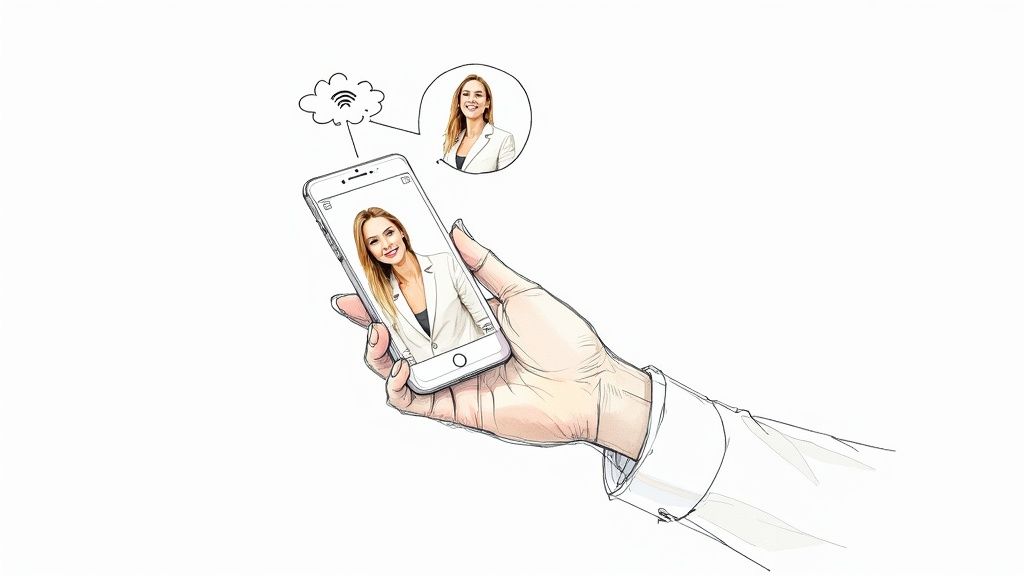
For years, getting a professional headshot meant one thing: hiring a photographer. That process usually involved scheduling weeks out, stressing over outfits, and shelling out hundreds of dollars for just a few good photos. It worked, but it was a huge barrier for freelancers, job seekers, and small businesses trying to watch their budget.
Today, that barrier is gone. AI headshot technology has completely changed the game, offering a convenient and affordable path to professional quality. It's no surprise the global AI headshot market is expected to hit $500 million by 2025—that’s a huge jump driven by how easy and affordable it has become. You can now get a whole set of 50 to 100 high-quality images for just $20 to $50. If you want to dive deeper into the numbers, Headsnap.io has a great breakdown of the industry trends.
Traditional Photoshoot vs AI Headshots: A Quick Comparison
To see just how much things have changed, it helps to put the old and new methods side-by-side. The differences in cost, time, and what you actually get are pretty staggering, especially for busy individuals and businesses.
| Feature | Traditional Photoshoot | AI Headshot Generator |
|---|---|---|
| Cost | $300 - $1,500+ | $20 - $50 |
| Time Investment | 4-8 hours (travel, session, selection) | 15-30 minutes (uploading selfies) |
| Turnaround Time | 1-3 weeks for final edited photos | Under 1 hour |
| Number of Photos | 5-15 final edited images | 40-100+ unique images |
| Variety | Limited to one or two outfits/backgrounds | Dozens of styles, outfits, & backgrounds |
| Control | Photographer directs the shoot | You control the inputs and final selections |
As you can see, AI offers a level of efficiency and variety that traditional photography just can't match, making professional branding accessible to everyone, from individuals to entire teams.
Convenience Meets Quality
The real magic here is the blend of convenience and professional quality. Instead of booking a studio, you can do a quick photoshoot in your living room with just your phone. This guide will walk you through exactly how to take the kind of selfies that the AI needs to work its magic.
This whole approach cuts out the time, cost, and pressure of a formal shoot. The advantages for your professional branding are crystal clear:
- Save Time: Get dozens of headshots in minutes or hours, not days or weeks. No appointments, no travel.
- Save Money: Access professional-grade photos for a tiny fraction of a photographer's fee.
- Get More Options: Receive a huge variety of headshots with different clothes, backgrounds, and expressions.
- Stay in Control: You're in charge from start to finish—from taking the selfies to picking your favorite AI results.
Why Your Headshot Matters More Than Ever
In our digital-first world, your headshot is your virtual handshake. It’s the first thing people see on your LinkedIn profile, your company's website, or your speaker bio. A sharp, professional image instantly signals confidence, competence, and that you pay attention to the details.
A great headshot isn't just a picture; it's a strategic tool for personal branding. It communicates who you are and what you stand for before anyone reads a single word of your resume.
This guide is designed to give you the power to create that killer first impression without any of the old-school obstacles. We’ll show you exactly how to take the right kind of photos at home and use a service like SelfieToPro to generate a whole portfolio of headshots that will open doors. You don't need a big budget or fancy gear—just your phone and a little guidance.
Setting the Stage for Your DIY Photoshoot
The real secret to a killer professional headshot isn't the camera—it’s the prep work you do before you even think about hitting that shutter button. A little planning is the foundation for a photo that looks polished, confident, and genuinely you. This is about more than just grabbing a clean shirt; it's about making smart choices that align with your career goals and look fantastic on camera.
Think of your clothing as the first thing that tells your professional story. The goal is to wear something that supports your image, not distracts from it. Solid colors are almost always your best friend here. Busy patterns, loud logos, or bold stripes can pull focus away from your face, which is the star of the show.
Choosing Your Wardrobe with Intention
First, consider your industry. The outfit that works for a corporate finance executive is going to be worlds away from what a freelance graphic designer or a wellness coach might wear.
- For Corporate or Traditional Roles: You can't go wrong with a well-fitting blazer, a crisp button-down, or a structured blouse. Stick to classic, powerful colors like navy, charcoal gray, or deep blues. These shades communicate stability and look great on everyone.
- For Creative or Modern Roles: You’ve got a bit more freedom. A high-quality knit top, a simple crewneck sweater, or even a dark, stylish t-shirt under a casual jacket can hit the perfect note. The main thing is to look intentional and put-together.
Don't forget the small details, like your neckline. A v-neck or scoop neck can visually elongate your neck, which is often flattering in photos. A classic crewneck or collared shirt offers a more traditional frame for your face. Just steer clear of anything too low-cut or overly trendy, as that can make your headshot feel dated in a year or two. Timeless is the aim.
Your headshot outfit should feel like your professional "power suit." If you feel awkward or uncomfortable in what you're wearing, trust me, it will show on camera.
Grooming for a Camera-Ready Look
Grooming for a photoshoot is all about looking polished, not plastic. Today's high-resolution cameras pick up everything, so paying attention to the little things makes a huge difference.
For makeup, think "enhanced natural." Even if you don’t typically wear it, a touch of translucent powder is a game-changer for cutting down on shine from lights. The focus should be on evening out your skin tone and subtly defining your eyes and brows. A word of caution: avoid anything with shimmer or glitter, as it can create distracting hotspots in the photo.
Your hair should be styled neatly, in a way that feels authentic to you. Go for a look you’d wear to an important meeting. The number one rule is to keep your hair from falling across your face, especially your eyes. Tame any flyaways—they tend to stand out way more in a still photo than they do in the mirror.
The Power of Color Psychology
The color you wear does more than just flatter your skin tone; it sends a subtle message. Choosing the right hue is a powerful, non-verbal way to communicate your professional brand.
| Color | Common Association | Best For |
|---|---|---|
| Navy Blue | Trust, Stability, Confidence | Corporate, legal, and financial pros. A universally safe and powerful choice. |
| Gray | Sophistication, Balance, Professionalism | A fantastic neutral that's a bit softer than black. Works across almost any industry. |
| White/Cream | Cleanliness, Simplicity, Honesty | Perfect for healthcare professionals or anyone in a role that values clarity and trust. |
| Deep Red/Burgundy | Power, Determination, Warmth | A bold pick for leaders, speakers, or anyone wanting to project passion and energy. |
When it's all said and done, the best color is one that makes you look good and sends the right message. If you’re ever in doubt, jewel tones like emerald green, sapphire blue, or deep purple are flattering on most people and add a welcome pop of richness to your photo. By putting this thought into your appearance beforehand, you're setting yourself up for a DIY shoot that delivers genuinely professional results.
Creating the Perfect At-Home Photo Setup
You really don't need a professional studio or a bunch of expensive gear to get incredible, high-quality photos for an AI headshot generator. In fact, some of the best lighting is completely free, and the perfect background is probably already somewhere in your home. It all just comes down to finding the right spot and making a few simple tweaks.
The single most important element for a stunning photo is good lighting. The gold standard here is soft, natural light coming from a window. This is the secret weapon photographers use to create flattering portraits that look bright, clear, and professional. Harsh overhead lights or direct sun can create nasty shadows and highlights, but the diffused light from a window wraps gently around your face for a much softer look.
To find your spot, just stand facing a large window during the day. See how the light seems to smooth everything out? That’s exactly what you’re aiming for. If the sun is beaming directly through that window, it's best to wait for a cloud to pass or move to a different window that isn't getting hit with direct sun. This will help you avoid squinting and those harsh, unflattering lines.
This simple flowchart gives you a bird's-eye view of the key prep stages before you even start thinking about the light.
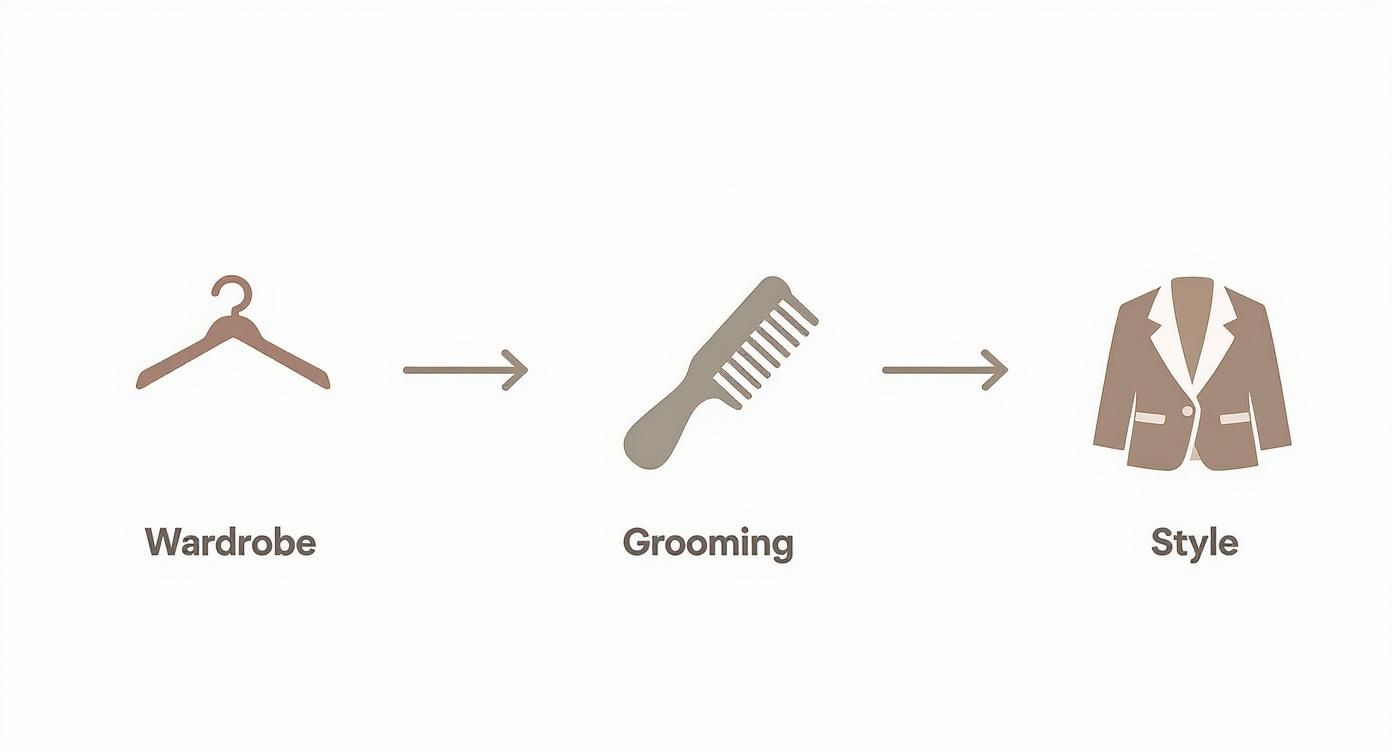
As you can see, the process is broken down into three clear stages—wardrobe, grooming, and style. It just goes to show that a great headshot starts long before you even pick up the camera.
Finding Your Light and Eliminating Shadows
Once you’ve found your light source, the next step is getting your positioning just right. Your goal is to have the light hitting your face as evenly as possible.
- Face the Light Directly: Stand about two to three feet away from the window, looking straight toward it. This is the most straightforward setup and gives you beautiful, even lighting across your entire face.
- Angle for Dimension: For a look with a bit more depth, try turning your body about 45 degrees away from the window. Then, turn your head back toward the camera, which should be placed between you and the window. This simple technique creates some soft, natural shadows on one side of your face, adding a touch of dimension.
A great headshot's worst enemy is a distracting shadow. If you're seeing dark shadows under your eyes or nose, you might be standing too far from the window. Just move a little closer and let the light fill in those areas. For a deeper dive into professional lighting tricks you can easily copy at home, check out our complete headshot lighting setup guide.
Selecting a Clean and Simple Background
Your background should be the opposite of busy. Its only job is to make you stand out, not compete for attention. While you don’t need a perfectly blank wall, you do want something that feels simple and uncluttered.
A plain, light-colored wall is almost always your best bet. Think about shades of white, light gray, or even beige. These neutral backdrops are timeless and professional, making sure the focus stays completely on you.
A distracting background can instantly make a great photo look amateur. Take a quick 30 seconds to scan what's behind you and move any clutter—like picture frames, plants, or random objects—out of the shot.
If you don't have a plain wall, don't sweat it. A tidy bookshelf (with the books lined up neatly) or even a wall with a subtle texture can work, as long as it isn’t too distracting. The key is to put some distance between yourself and the background. This will help create a slight blur, making you pop right out of the frame.
Stabilizing Your Camera for Sharp Images
The final piece of your at-home studio puzzle is making sure your camera is perfectly still. The tiniest handshake can lead to a blurry photo, which is the last thing you want when you’re aiming for sharp, professional headshots. A tripod is nice, but you absolutely do not need one.
You can easily whip up a makeshift tripod using things you already have.
- Stack of Books: A classic for a reason. Just stack a few heavy books on a table or shelf until your phone's camera is right at eye level.
- Leaning Against an Object: Prop your phone securely against a water bottle, a coffee mug, or a small box. Anything that provides a stable base will work.
- Using a Shelf: A windowsill or a floating shelf might already be at the perfect height. Just place your phone on the edge, and you're good to go.
Once your phone is stable, use the self-timer function. Setting a 3 or 5-second timer gives you plenty of time to tap the shutter button and settle into a natural pose without feeling rushed. This tiny step is one of the most effective ways to guarantee your photos are crisp, clear, and ready for the AI to work its magic.
Posing and Capturing Your Best Self
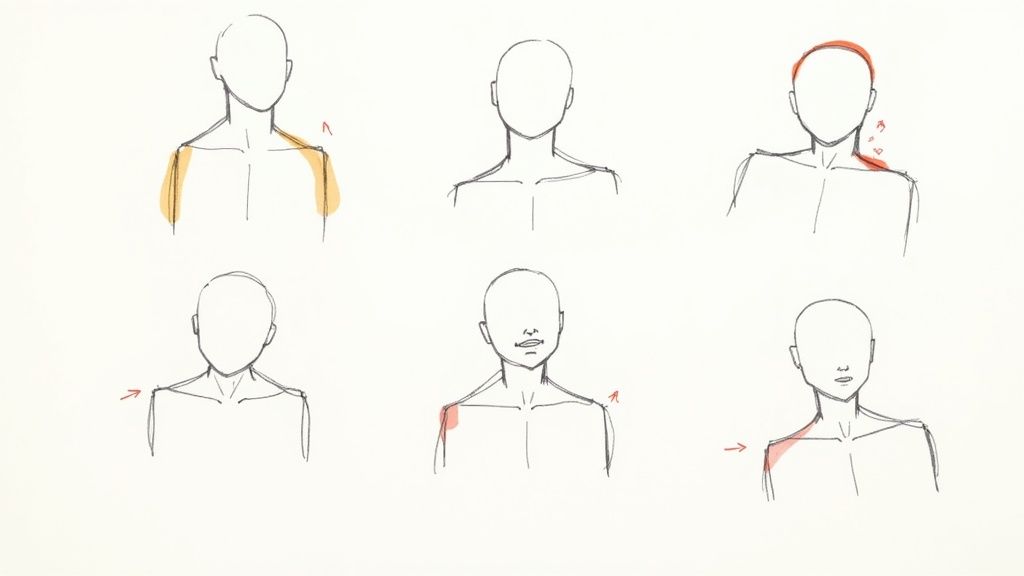
Alright, your at-home studio is ready to go. Now comes the part that trips most people up: actually taking photos that capture your confidence and personality. This can feel intimidating, but it doesn't have to be.
The goal here isn't to strike a perfect, supermodel pose. It’s about finding a few simple, natural positions that make you look and feel your best.
Remember, you are not trying to capture the final, flawless headshot right now. You’re simply creating the raw material for the AI to work its magic. This takes all the pressure off. Your only job is to provide a handful of clear, confident, and varied images.
The AI handles the rest, transforming your simple selfies into dozens of studio-quality options. It's a huge relief compared to a traditional photoshoot where every single shot has to be perfect.
Small Adjustments That Make a Big Impact
The difference between a flat photo and a dynamic one often comes down to tiny tweaks. These subtle shifts in posture and angle can completely change the energy of your picture, making you appear more confident and approachable.
A great starting point is to avoid facing the camera straight-on. Instead, turn your body about 45 degrees away from the lens, then turn your head back to look at the camera. This is a classic photographer's trick that instantly creates dimension and is way more flattering than a passport-style photo.
Here's another pro tip: slightly push your forehead toward the camera. I know, it feels awkward, but this small movement helps define your jawline and gets rid of any hint of a double chin. There's a reason the pros use this move all the time.
Posing Tips for Authentic Confidence
Your body language says a lot in a headshot. The key is to look relaxed and assured, not stiff or tense.
- Lean In Slightly: Leaning forward just a tiny bit toward the camera creates a sense of engagement. It’s an inviting posture that signals you're open and interested.
- Tilt Your Head: A slight head tilt adds personality and warmth. Play around with it—a little to the left, a little to the right—and see what feels most natural.
- Drop Your Shoulder: Gently drop the shoulder closest to the camera. This simple move elongates your neck and creates a more graceful line, keeping you from looking boxed-in. For more ideas, you can explore professional headshot poses for men that work for anyone wanting to project confidence.
Don't stress about your hands. If you're not sure what to do with them, just let them rest naturally at your sides. You can also try crossing your arms for a more assertive look. The main focus should always be your expression.
Capturing a Range of Expressions
The secret to getting the best results from an AI headshot generator like SelfieToPro is variety. The more diverse your input photos, the more data the AI has to create realistic and varied final images. Aim to capture 10-20 different photos with a mix of expressions.
Start with a simple, relaxed smile—not a huge grin, but a warm, confident expression. That’s your go-to look. From there, try a closed-mouth smile for a more thoughtful vibe, and even a neutral expression that conveys calm confidence.
Don't be afraid to move around and experiment between shots. Snap a photo, then adjust your angle, change your expression, and take another. The more options you give the AI, the better your final headshots will be. You can get this all done in under 15 minutes—a fraction of the time you'd spend in a traditional studio.
Transforming Your Photos With AI
You've done the hard part—you’ve prepped your space, found the right light, and snapped a bunch of solid selfies. Now for the fun part: turning those simple photos into polished, professional headshots. This is where AI headshot generators like SelfieToPro come in, designed to be dead simple and secure, with no technical fluff.
The real magic is how the AI takes your best shots and creates entirely new images from scratch, complete with studio lighting, professional outfits, and clean backgrounds. You just provide the raw ingredients, and the technology does all the heavy lifting. Instead of booking a photographer, you can get dozens of options back in about the time it takes to watch a movie.
This whole approach is shaking up the photography world. The traditional headshot industry is projected to hit around $2 billion annually worldwide by 2025, driven by the massive need for a strong personal brand. Yet, the boom in accessible DIY tools is offering a powerful alternative, signaling a huge shift toward convenience. You can read more on these professional photography service trends here.
Uploading Your Photos for the Best Results
To get AI headshots that actually look like you—and a better-looking version at that—the quality of the photos you upload is everything. Think of it as giving the AI the best possible data to learn your unique facial features. While every platform has its own quirks, they all share the same core best practices.
First up, image quality. Your photos need to be clear and sharp, with your face as the star of the show. Steer clear of blurry, pixelated, or heavily filtered images. These things just confuse the AI and lead to weird, unnatural results. The high-resolution photos from any modern smartphone are more than good enough.
Next, variety is key. Don't just upload ten photos of the same stiff smile. You need to provide a diverse set of 10-20 images with different expressions and angles. Mix in some with a big smile, some with a neutral look, and even a few laughing. Snap some from straight on, some from a three-quarter angle, and with a few different head tilts. This gives the AI a 3D map of your face, which is essential for generating a wide range of realistic headshots. If you're wondering how the different platforms compare, we've broken down the best AI headshot generator options in our guide.
Photo Upload Checklist for AI Headshot Generators
Before you hit that upload button, it's worth running through a quick mental checklist. Making sure your photos tick these boxes will make a huge difference in the quality of your final headshots.
| Checklist Item | Why It's Important | Quick Tip |
|---|---|---|
| High Resolution | Prevents pixelated or blurry AI outputs. | Use your phone’s native camera app, not social media apps. |
| No Filters or Edits | AI needs raw, unfiltered data for accuracy. | Turn off any beauty filters or portrait modes that soften features. |
| Face is Clearly Visible | Ensures the AI can accurately map your features. | Avoid sunglasses, hats, or hair covering your eyes. |
| Variety of Expressions | Generates a diverse range of final headshots. | Take photos with open-mouth smiles, closed smiles, and neutral looks. |
| Good, Even Lighting | Avoids harsh shadows that can distort features. | Face a window for soft, natural light and avoid overhead lights. |
This simple check ensures you’re giving the AI the best possible material to work with, setting you up for a fantastic final result.
Setting Expectations for Turnaround and Privacy
Once your photos are in the system, the AI gets to work. Reputable services like SelfieToPro are upfront about how long it takes, which is usually under an hour. You’ll typically get an email letting you know when your new headshots are ready to download.
Privacy is non-negotiable for any AI platform you trust with your photos. Your images should only be used to train your personal AI model and generate your headshots—period. Always pick a service with a clear privacy policy that states how your data is used and when it gets deleted.
After the AI works its magic, you'll get a full gallery of options to browse. We're talking dozens of headshots with different outfits, backgrounds, and professional styles. It’s the ultimate convenience: a portfolio of high-quality images without ever stepping foot in a studio. You save time, you save money, and you get total control over your professional image.
Have Questions About AI Headshots? Let's Clear Them Up.
Diving into new tech always brings up a few questions. The idea of getting a studio-quality headshot from your phone is incredible, but it's totally normal to wonder about the process, the quality, and even the security of it all. Let's tackle some of the most common concerns head-on.
The biggest hurdle with old-school photography has always been the price tag. A professional headshot session in the US typically runs between $250 and $283, but that number can swing wildly. Some packages might be as low as $50, while others can soar to $1,200 or more—a serious investment for anyone needing to look polished on LinkedIn. If you want to see the full breakdown, you can explore more insights on headshot pricing in 2025. This cost is exactly why AI alternatives have become such a game-changer.
Will My AI Headshots Look Fake or Unnatural?
This is probably the number one concern, and it's a fair one. The good news is that today's AI technology is remarkably sophisticated. Modern AI headshot generators create incredibly realistic images by studying the unique facial features from the photos you upload.
The real secret to a believable result is the quality of your source images. When you feed the AI clear, well-lit photos with a few different expressions, it can generate headshots that are nearly impossible to distinguish from a studio session. It gets the lighting, textures, and backgrounds just right, giving you a final product that looks both authentic and professional.
How Many Photos Should I Upload to an AI Service?
Think quality over quantity, but you still need to give the AI enough material to learn from. Most services, including ours, recommend uploading between 10 to 20 high-quality photos.
But it’s not just about hitting a number; it’s about variety. Make sure you include photos from a few different angles (straight-on, slightly to the side) and with a mix of expressions (a professional smile, a more neutral look). This variety gives the AI a complete picture of your facial structure, which leads to much more accurate and versatile headshots.
The better the input, the better the output. Spending just 15 minutes capturing a diverse set of clear selfies is the single most important step you can take to ensure you get fantastic, realistic results from the AI.
Can My Phone Really Produce a Professional Result?
Absolutely. The camera sitting in your pocket is more than powerful enough for this. When you pair your phone’s high-resolution sensor with good, natural light and a steady hand, you can easily capture the quality source images the AI needs to work its magic.
Remember, the AI is doing all the heavy lifting. It’s responsible for creating that polished studio look—perfecting the lighting, generating a clean background, and even dressing you in professional attire. Your only job is to provide a clear, well-lit selfie to serve as the blueprint.
Is It Safe to Use an AI Headshot Service?
Privacy and data security are huge, and any reputable AI headshot service takes them seriously. Before you commit, it’s always smart to take a quick look at their privacy policy.
Generally, trustworthy companies use your photos only for the purpose of generating your headshots and are transparent about how long they keep your data before deleting it. Look for services that are upfront about their data-handling practices and have positive reviews from other users. This ensures your images are being used safely and just for their intended purpose, giving you total peace of mind.
Ready to skip the cost and hassle of a traditional photoshoot? With SelfieToPro, you can transform your best selfies into a portfolio of studio-quality headshots in minutes. Get the professional look you need with the convenience and affordability you deserve.