
How to Get a Professional Headshot: The Smart Guide to AI & Traditional Photoshoots
When you need a professional headshot, you've got two main roads: the traditional route with a photographer, or the modern path using an AI headshot generator for incredible convenience and savings. The right choice boils down to your budget, how fast you need results, and the kind of professional branding you're building. This guide will help you decide.
Why Your Headshot is Your Digital Handshake
Long before anyone meets you, reads your resume, or hears you speak, they’ll probably see your picture online. Your headshot is that first virtual impression—a digital handshake that instantly communicates your professionalism and personality.
A polished, high-quality image builds immediate trust and credibility, whether it’s on your LinkedIn profile, the company "About Us" page, or a conference speaker bio. A blurry selfie or an old, outdated photo? That sends a message, too, and probably not the one you want for your professional branding.
This need for a strong digital brand has created a huge industry. The global market for professional headshot photography was already around $1.2 billion in 2023 and is expected to more than double by 2030. That growth is all about our reliance on platforms like LinkedIn and the simple fact that everyone needs a confident personal brand.
Two Paths to a Perfect Picture
So, how do you get a headshot that really captures you at your best? You have two main options, and each comes with its own set of pros and cons. Understanding the difference is the key to picking what works for your goals, your schedule, and your wallet. The psychology of first impressions is incredibly powerful, and your photo is a huge piece of that puzzle.
-
Traditional Photoshoot: This is the classic, hands-on experience. You find a professional photographer, book a session, and work together to get the perfect shot. It’s highly personalized but requires a significant investment of both time and money.
-
AI Headshot Generator: The modern, incredibly convenient alternative. You simply upload a handful of your own casual photos, and an AI algorithm creates hundreds of studio-quality headshots in various styles. It's an affordable and time-saving solution for busy individuals and businesses.
A great headshot isn’t just about looking good; it's a strategic career tool. Think of it as your personal logo, representing your professional brand across every digital platform and shaping how potential clients, employers, and colleagues see you.
To help you figure out which path is for you, let's break down the core differences.
Headshot Options At a Glance
Here’s a quick comparison highlighting the time and cost savings of AI.
| Feature | Traditional Photoshoot | AI Headshot Generator |
|---|---|---|
| Cost | High ($200 - $1500+) | Affordable ($29 - $59) |
| Turnaround Time | Slow (Days to Weeks) | Fast (Minutes to Hours) |
| Convenience | Low (Scheduling required) | High (Done from home) |
| Variety | Limited (1-3 final images) | High (40-200+ options) |
| Experience | Personalized and guided | Self-service and instant |
Ultimately, whether you choose the guided experience of a photographer or the instant, affordable quality of an AI Headshot, the goal is the same: a professional image that opens doors.
Exploring AI Headshots For Speed and Savings
A traditional photoshoot has its place, but let's be honest—most of us are working on a tighter schedule and budget. This is exactly where AI Headshots have stepped in, offering a powerful mix of convenience, affordability, and professional quality.
Forget the back-and-forth of trying to align your calendar with a photographer or spending an afternoon in a studio. The concept is refreshingly simple: you upload a handful of your own casual photos, and a sophisticated AI engine gets to work, generating a whole portfolio of professional portraits for you.
This approach completely sidesteps the usual headaches of professional photography. There's no travel, no scheduling drama, and no waiting weeks to see the final edited shots. For busy entrepreneurs, job seekers on a deadline, or companies needing consistent photos for a remote team, this is a game-changer for professional branding.
How Does AI Create Your Headshot?
At its core, an AI headshot generator uses a type of artificial intelligence like a generative adversarial network (GAN) or a similar diffusion model. Think of it as two AIs working in tandem. One AI, the "generator," creates brand-new images based on the selfies you provide. The second AI, the "discriminator," acts as an art director, comparing those creations to a massive database of real-world professional headshots and flagging anything that doesn't look authentic.
This rapid-fire feedback loop happens thousands of times, with the generator constantly refining its work until it produces images that are incredibly lifelike and professional. The AI learns your unique facial structure from your input photos and then artistically places your likeness into new scenarios—different outfits, hairstyles, lighting, and backgrounds.
The result isn't just a filter slapped onto your original photos. It's a completely new, unique image created from the ground up, designed to look like a studio-quality portrait while keeping your distinct appearance.
The whole process is built to be easy. If you have a few clear selfies on your smartphone, you have everything you need to get started. This shift is making professional branding tools accessible to everyone, not just people with deep pockets. If you need a good place to start, our guide on the best AI headshot generators breaks down the top options.
The Unbeatable Edge of Speed and Cost
Let's get down to the numbers, because this is where AI really pulls ahead. A traditional photoshoot can easily run you anywhere from $200 to over $1,500 once you account for the photographer's session fee, image rights, and retouching. Then there's the time commitment—booking the shoot, getting there, doing the session, and waiting for the final proofs can stretch out over several weeks.
AI headshot services completely flip that model, offering huge time and cost savings.
-
Seriously Cost-Effective: Most AI services offer packages between $29 and $59. For less than the cost of a nice dinner out, you can get dozens, sometimes even hundreds, of different headshot options.
-
Incredibly Fast Turnaround: Forget waiting weeks. You typically get your results back in minutes or a few hours. You can literally upload your selfies in the morning and have a brand-new LinkedIn portrait by the afternoon.
-
A Ton of Variety: A photographer might give you 3-5 final edited shots. An AI generator delivers a huge gallery of 40, 100, or even 200+ images with different outfits, backgrounds, and expressions, giving you an amazing range of choices.
This level of efficiency is driving a huge shift in the market. In 2025, the AI headshot industry is seeing explosive growth, with projections suggesting its value will hit about $500 million by the end of the year—a stunning 150% increase from 2024. This boom is fueled by one simple fact: AI makes professional-grade images affordable and accessible to freelancers, students, and small business owners. For a deeper dive, check out the full 2025 AI headshot industry report.
For anyone who's ever wondered how to get a professional headshot without the traditional cost and hassle, AI offers a compelling, modern solution that delivers on speed, savings, and professional quality.
Your Guide to Perfect AI Headshot Selfies
The quality of your AI-generated headshots comes down to one simple thing: the quality of the selfies you feed the machine. Think of it like cooking—you can't expect a gourmet meal if you start with subpar ingredients. If you upload blurry, poorly lit, or inconsistent photos, you’re just going to confuse the AI and get lackluster results.
To generate a headshot that looks sharp and authentically you, the AI needs clean, clear data on your facial structure. That means giving it a variety of angles, expressions, and lighting conditions to learn from. This is easily the most critical part of the whole process. It's what separates an AI headshot that nails your look from one that feels just a little bit off.
The entire process, from taking your selfies to downloading the final product, is actually pretty straightforward.
As you can see, a simple upload-and-generate workflow gets you high-quality headshots in minutes. The convenience is a huge part of the appeal.
Lighting Is Your Best Friend
You don't need a professional studio to get fantastic lighting. In fact, the best light for a headshot is soft, natural, and completely free. Just find a window during the day and face it. As long as the sun isn't shining directly in, you’ll get a gentle, even light that erases harsh shadows and flatters your features.
That harsh overhead lighting in most rooms? It’s your enemy. It creates weird, unflattering shadows under your eyes and nose. If you absolutely have to shoot indoors away from a window, find a space with balanced, ambient light. For a deeper dive, check out our complete guide on the perfect at-home headshot lighting setup.
Background and Wardrobe Choices
The AI needs to focus on you, not the bookshelf or pile of laundry behind you. Stick with a simple, neutral background like a plain wall. Busy backgrounds with plants, art, or furniture can distract the algorithm and sometimes even bleed into your final headshots in strange ways.
Keep your clothing simple, too.
-
Stick to Solid Colors: You can’t go wrong with classic, neutral colors. Think navy, gray, black, or deep jewel tones. They’re timeless and keep the attention on your face.
-
Avoid Busy Patterns: Loud patterns, bold stripes, and big logos are distracting. They can confuse the AI and make your headshots look dated before you even use them.
-
Simple Necklines: Crewnecks, V-necks, and simple collared shirts are all solid choices. Steer clear of anything too trendy or revealing to make sure your headshot is versatile and professional.
Key Takeaway: When taking your input selfies, your mantra should be clarity and simplicity. A clean background and a solid-colored shirt give the AI the best possible data to learn your facial features without any noise or distractions.
Master Your Angles and Expressions
Variety is everything. You can't just send in ten photos from the exact same angle with the same forced smile and expect great results. You need to mix things up to give the AI enough information to create a range of realistic, dynamic headshots.
First, let's talk camera angle. The universally flattering position is holding your phone just slightly above eye level and tilting it down a bit. Definitely avoid shooting from below—it’s rarely a good look. Make sure to take photos looking straight on, then slightly to the left, and slightly to the right.
Next, give the AI some different expressions to work with. You'll want a blend of smiles and more neutral, confident looks.
-
The Approachable Smile: Think of a genuine, gentle smile where you’re also smiling with your eyes.
-
The Confident Look: Try a closed-mouth smile or a relaxed, neutral expression that says you mean business.
-
Slightly Candid: For a more thoughtful and dynamic pose, try looking just past the camera.
Remember to capture some shots from the chest up and others that are tighter on your shoulders and head. This mix gives the AI a complete blueprint to build from, ensuring your final headshots are not only high-quality but look like you on your best day.
Navigating a Traditional Photoshoot
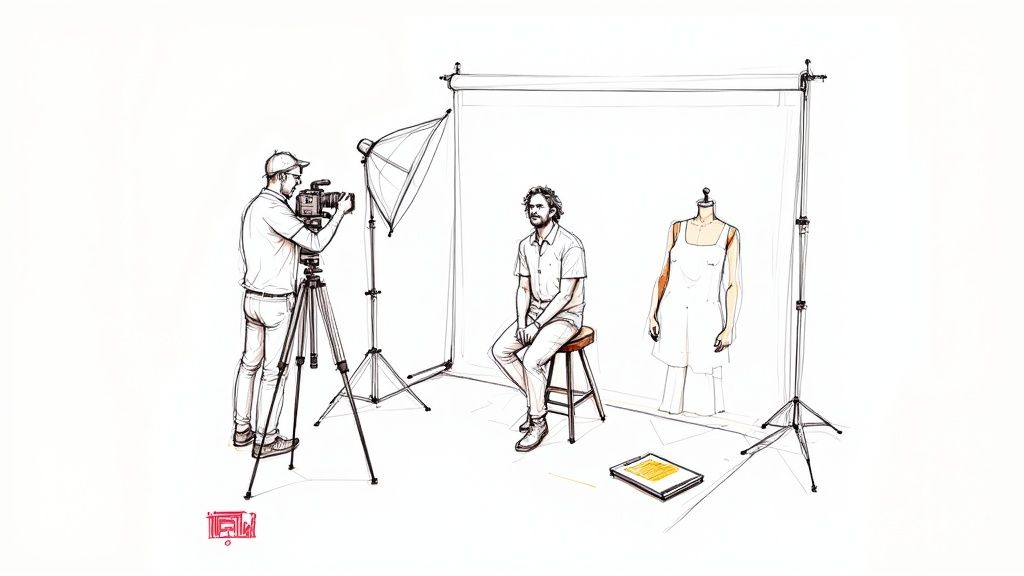
While AI headshots offer an amazing mix of convenience and affordability, sometimes you need that human touch. For anyone who values a truly custom, collaborative experience, a traditional photoshoot is still the gold standard for a professional headshot. Think of it less like a transaction and more like a creative partnership.
Going this route means finding and working directly with a professional photographer—someone whose artistic vision clicks with your personal brand. You get their complete focus, expertise, and guidance every step of the way, from planning the vibe and wardrobe to directing your poses in real time.
Finding the Right Photographer for You
First things first, you need to find a photographer whose style actually speaks to you. This isn't just about hiring someone with a fancy camera; it's about finding an artist whose portfolio reflects the exact image you want to project. A great place to start is a simple search for local headshot photographers, then just dive deep into their online galleries.
As you look through their work, keep an eye on a few key things:
-
Lighting Style: Is their work bright and airy, or more dramatic and moody with heavy shadows?
-
Posing and Expression: Do the people in their photos look genuinely relaxed and natural, or are the poses more structured and formal?
-
Overall Vibe: Does the portfolio feel polished and corporate, creative and edgy, or warm and approachable?
Your goal is to find a photographer whose work consistently matches the professional brand you're trying to build. If you're a freelance artist, a photographer who specializes in stiff, corporate portraits probably isn't the right fit. Once you’ve got a shortlist of a few photographers you like, it's time to reach out.
The Consultation Is Key
Whether it’s a quick phone call or a meeting over coffee, the consultation is your chance to see if you and the photographer vibe well together. This chat is crucial for lining up expectations and making sure you're both on the same page. It’s also the perfect time to ask the important questions so you know exactly what you're paying for.
Don't be afraid to ask direct questions. Any true professional will be more than happy to walk you through their process and packages.
Questions to Ask Your Potential Photographer:
-
What’s included in your headshot packages? (Think session time, number of outfits, and how many edited images you get.)
-
What’s your typical turnaround time for delivering the final photos?
-
Do you offer professional retouching, and what does that cover specifically?
-
What are the usage rights for the images? Can I use them on my website, social media, and for print?
-
Do you have a studio, or do you shoot on location?
Remember, this discussion is a two-way street. The photographer will probably ask about your career, your audience, and what you want your headshot to say about you. This collaborative spirit is what makes a traditional shoot so powerful.
A great photographer does more than just snap a picture. They act as a brand consultant, helping you translate your professional identity into a compelling visual that truly connects with people. Their expertise in lighting, posing, and expression is what turns a simple photo into a powerful branding tool.
Understanding the Cost and Value
One of the first questions on everyone's mind is the price. A professional headshot session can run anywhere from a few hundred to over a thousand dollars, which can seem like a lot compared to the affordability of AI options. But it's important to break down what that investment really covers. You aren't just paying for the hour you spend in front of the camera.
That price tag includes the photographer's time for the initial consultation, session prep, the shoot itself, and the often painstaking post-production work. In fact, many photographers spend just as much time editing as they do shooting, which is a big factor in the final cost. This detailed process ensures every single image is perfectly polished and aligns with your professional standards. You can get more insights into what goes into a pro shoot by exploring headshot industry trends.
You’re also paying for their years of expertise, their high-end gear, and their unique artistic eye. A photographer's ability to guide you into a natural, confident expression is a skill they've honed over countless sessions. It’s this human element—the ability to connect, direct, and capture genuine personality—that defines the traditional photoshoot and delivers a result that is truly one-of-a-kind.
How to Prepare for Any Headshot
Whether you're heading to a professional photographer's studio or snapping selfies for an AI headshot generator, the prep work is surprisingly similar. The mission is the same: create a clean, authentic image that makes you look like the pro you are.
A little effort beforehand makes a huge difference in the final quality. Getting this part right ensures you look confident and approachable, which is the entire point of a professional headshot. These universal rules for wardrobe, grooming, and expression apply no matter which route you take.
Dress for Success and Simplicity
Your outfit is there to complement you, not distract from you. The main event of any headshot is your face, and busy patterns, big logos, or overly trendy pieces can pull the eye away. Worse, they can make your photo look dated in just a few years.
Stick with solid colors to create a timeless, professional look. Rich jewel tones like navy blue, emerald green, and burgundy are fantastic choices that work on almost everyone. Classic neutrals like gray and black are also safe bets that keep the attention right where it belongs—on you.
A few quick tips for choosing the right attire:
-
Simple Necklines Work Best: V-necks, crewnecks, and simple collared shirts are all great options. They frame your face without creating visual clutter.
-
Avoid Loud Patterns: Steer clear of bold stripes, busy florals, or any obvious branding. Simplicity is your best friend here.
-
Focus on Fit: Wear something that fits you well and makes you feel good. An ill-fitting blazer or a tight collar will translate into visible discomfort on camera.
Think of your outfit as the supporting cast, not the main star. Its job is to make you look good without stealing the show. A classic, solid-colored top ensures your headshot will stay versatile and professional for years.
Polish Your Look with Simple Grooming
You don't need to hire a professional glam squad, but a bit of attention to grooming goes a long way. The goal is to look like yourself on your best day: polished and put-together, but not overdone.
When it comes to your hair, just aim for a style that’s neat and intentional. This is not the time to try a dramatic new haircut. The safest bet is to stick with a style you know and love, just make sure it's free of flyaways.
Makeup should be used to enhance your features, not mask them. A natural look almost always translates best on camera. A little foundation to even out skin tone, a touch of mascara, and a neutral lip color is often all you need. The key is to avoid anything too shiny or glittery, as it can cause distracting reflections under studio lights or confuse an AI algorithm.
Master Your Expression Before the Camera Clicks
Your expression is what brings a headshot to life. It’s what communicates approachability, confidence, and trustworthiness. For most of us, though, looking natural on command feels impossible. The secret? Practice.
Spend a few minutes in front of a mirror or your phone's camera trying out different smiles and more serious, confident looks. It might feel a little silly, but it’s incredibly effective. This is how you learn your most flattering angles and what a genuine smile actually feels like on your face.
Practice these key expressions:
-
The Approachable Smile: This is a warm, genuine smile that reaches your eyes. Thinking about a happy memory or someone you love can help make it look natural.
-
The Confident Look: A slight, closed-mouth smile can project confidence and authority without looking too stern.
-
The Engaged Expression: Even a neutral look can be very effective if your eyes project warmth and focus.
Practicing builds muscle memory, so when it’s go-time, your expressions will feel less forced and more authentic. This is just as critical for AI generators, which need a good variety of selfies with different expressions to create a diverse and realistic set of final images.
Putting Your New Headshot to Work
You’ve done the work and now you have the perfect headshot. Awesome. But a great photo collecting digital dust on your hard drive isn't doing you any favors. A powerful headshot is a career asset, but only if it gets seen in the right places.
The real magic happens when you use it strategically across all your professional platforms. This isn't just about uploading a picture; it's about creating a cohesive, instantly recognizable personal brand. Your new LinkedIn portrait is the perfect place to start.
Getting Your Photo Sized Up for Each Platform
First things first, let's talk about resizing. Each platform has its own sweet spot for image dimensions, and trying to use a one-size-fits-all approach is a recipe for a blurry, awkwardly cropped mess.
Your LinkedIn profile is ground zero for your professional brand. It's often the most critical place for your new headshot to shine. The platform currently recommends a 400 x 400 pixel image for profile pictures. Make sure your face is centered and clearly visible within that little circular frame.
For other common professional uses, you'll want to have a few different sizes ready to go:
-
Email Signature: Keep it small and lightweight here. Something around 150 x 150 pixels is perfect—it looks professional without slowing down email load times.
-
Speaker Bios & Personal Websites: Go big or go home. You’ll want a higher resolution version, often around 800 x 800 pixels or even larger, to ensure it stays crisp and sharp on any screen.
A quick pro tip: Think about matching the vibe of the headshot to the platform. That formal, corporate-style photo is a slam dunk for LinkedIn. But a slightly more relaxed, approachable shot might connect better on a personal blog or a creative portfolio.
The single most important thing you can do? Be consistent.
When you're ready to update your headshot, do it everywhere at once. LinkedIn, your company's "About Us" page, your email signature, your speaker bio—all of it. This immediate, widespread update reinforces your personal brand and makes you instantly recognizable to colleagues, clients, and recruiters. It’s a simple move that turns an excellent photo into a powerful, consistent symbol of your professional identity.
Your Top Headshot Questions, Answered
Jumping into the world of professional headshots can feel a bit overwhelming, especially with AI changing the game so quickly. You've got questions, whether you're thinking about a traditional photoshoot or giving an AI service a try. Let's clear up some of the most common ones.
Will an AI Headshot Actually Look Like Me?
This is the big one, and for good reason. The truth is, the best AI headshot generators are remarkably good at capturing who you are. The magic is in the data you feed them.
They learn your specific facial structure, expressions, and features from the selfies you upload. As long as you provide a good variety of clear, well-lit photos, the final images won't look like some generic digital clone. They'll look like you, just with professional lighting and attire.
What’s the Right Thing to Wear for My Headshot?
Whether you're snapping selfies for an AI service or walking into a photography studio, the advice holds true: keep it simple and professional.
Solid colors are your best friend here, as busy patterns can pull focus away from your face. It's also smart to think about your industry's vibe. A creative director might go for a sharp blazer over a designer tee, while a financial advisor will likely stick to a more formal suit.
At the end of the day, the most critical factor is that you feel comfortable and confident. That feeling comes through in the final shot more than anything else, making you look both professional and approachable.
Is It Cheating to Use an AI Headshot?
Not at all. Using an AI Headshot generator is simply choosing a modern, efficient tool for professional branding. Think of it as a smart shortcut that saves time and money.
It's an affordable and convenient way to get a high-quality result without the expense of a traditional photoshoot. For anyone—from solo entrepreneurs to entire corporate teams—who needs polished images without the logistical hassle, it’s a practical and savvy move for building a strong personal brand.
Ready to create stunning, professional images in minutes without the high cost and hassle of a traditional photoshoot? SelfieToPro uses advanced AI to turn your casual selfies into a portfolio of studio-quality headshots. Get your professional headshots today!