
How to Create a Professional Headshot in Minutes with AI
Getting a professional headshot used to be a major hassle and expense. Now, you can create a gallery of studio-quality images in minutes, all from your phone. This isn’t about cutting corners; it’s about getting professional results without the time, cost, and scheduling headaches of a traditional photoshoot. It’s the smart, convenient way to take full control of your professional brand, instantly.
Why AI Headshots Are the Smarter Choice for Your Professional Brand
Your online presence is your modern-day business card, and your headshot is the first handshake. It’s your face on LinkedIn, your intro on the company team page, and the mark of professionalism on your website.
But let's be honest—the old way is a pain. Finding a photographer, booking a session, and then waiting weeks for edits is slow and incredibly expensive. AI headshots completely change the game by offering a fast, affordable, and high-quality solution for busy professionals.
The Unbeatable Convenience and Affordability
Let's talk numbers. A traditional headshot in 2025 will set you back around $283 on average, and that can easily skyrocket past $1,200. For individuals and businesses watching their budget, that's a significant expense. You can dig into photography costs to see just how dramatic the savings are. AI headshot generators deliver the same professional quality for a tiny fraction of that cost.
The real win with AI isn't just saving money—it's saving time. You can go from needing a new headshot to having dozens of professional options in less time than your lunch break.
The convenience is a massive advantage. Forget coordinating schedules or traveling to a studio. You generate your headshots from home, on your own time. This is a lifesaver for busy professionals, remote teams needing a consistent look, or anyone who wants a quick brand refresh without the fuss.
Professional Quality on Your Terms
AI platforms don't just apply a filter; they build a personalized digital model from your selfies to generate a wide array of professional images that look exactly like you.
This time-saving process gives you:
- Tons of Styles: Instantly try out dozens of backgrounds and outfits. Go from a sharp corporate look to something more creative without ever changing your clothes.
- Warp Speed Delivery: Get a full gallery of high-resolution, professionally polished headshots in under an hour, not weeks.
- Unbeatable Price: A complete set of professional images costs less than a single traditional photoshoot.
This guide will walk you through exactly how to nail the process. We’ll cover everything from taking the right selfies to picking styles that fit your brand, ensuring you get a final headshot that makes your professional profile shine.
AI Headshots vs Traditional Photoshoots Quick Comparison
Here’s a quick breakdown of how the two approaches stack up. While a traditional photoshoot offers a personalized experience, AI provides unmatched speed, variety, and value, making it the most convenient choice for most professional needs.
| Feature | AI Headshot Generator | Traditional Photoshoot |
|---|---|---|
| Cost | $19 - $99 (one-time fee) | $250 - $1,500+ (session fees, etc.) |
| Time | Under 1 hour (start to finish) | 5-12 hours (travel, session, selection) |
| Variety | 40-100+ images with varied styles | 5-15 edited images |
| Convenience | Create from anywhere, anytime | Requires scheduling and travel |
| Revisions | Not applicable (generate more) | Can be costly and time-consuming |
| Consistency | Perfect for teams needing a uniform look | Varies by photographer and session |
| Control | Full control over style and background | Photographer-led creative direction |
Ultimately, for professionals who need high-quality images quickly and affordably, the convenience and cost savings of an AI generator are impossible to ignore.
Taking Selfies That Guarantee Great AI Results
The final quality of your AI headshot comes down to one thing: the quality of the selfies you start with. Think of the AI as a top-tier portrait artist. If you provide blurry, poorly lit photos, you'll get a mediocre result. But if you provide clear, varied selfies, you’re giving the artist everything they need to create a professional masterpiece.
You don't need a fancy camera; your smartphone is perfect for the job. It’s all about following a few key principles to help the AI accurately learn your unique features. This little bit of prep is what separates a decent result from a truly stunning, professional headshot.
This flow chart gives you a quick look at how simple and friendly the process really is.
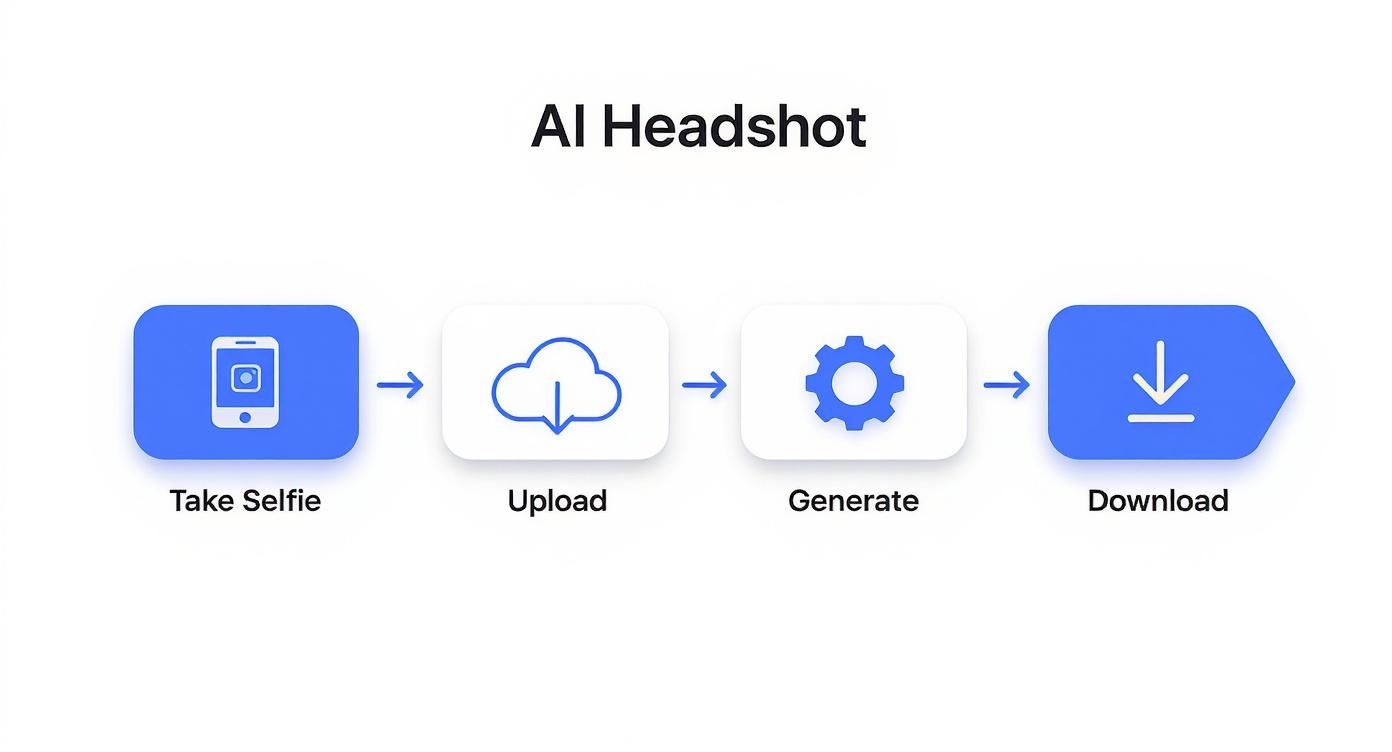
As you can see, the journey from taking a few selfies to downloading a polished, professional headshot is designed to be as fast and straightforward as possible.
Find the Best Natural Light
Good lighting is the secret ingredient. It’s non-negotiable. Bad lighting creates harsh shadows that can alter the shape of your face and hide the details the AI needs. The best light? It's free and just a few feet away.
Simply stand facing a window during the day. This provides soft, even light that illuminates your entire face without creating dark shadows. You don't need direct sun—in fact, a slightly overcast day often provides the most flattering light.
Watch out for these common lighting traps:
- Backlighting: Never stand with a bright window behind you. You’ll end up as a dark silhouette.
- Overhead Lighting: Kitchen or office ceiling lights cast deep, unflattering shadows. Avoid them!
- Mixed Lighting: Avoid standing where you’re getting hit by both window light and a yellow lamp. This can confuse the AI.
Create a Clean Slate for the AI
Your goal is to make it incredibly easy for the AI to focus on one thing: you. Distracting clothes or backgrounds can lead to less-than-perfect results.
For your top, keep it simple. A plain, solid-colored t-shirt is perfect. Stay away from busy patterns, logos, or turtlenecks. Remember, the AI will create brand-new outfits for you, so the shirt in your selfie is just a temporary canvas.
Your background should be just as simple. A plain, neutral wall is all you need. This ensures the AI doesn’t get sidetracked by a bookshelf or poster behind you. For a deeper dive, check out our friendly guide on how to get the perfect photos for AI headshots.
Capture a Range of Angles and Expressions
Variety is everything. If you upload six identical selfies, you aren't giving the AI enough information to build a versatile model of your face. To get headshots that capture your professional personality, you need to provide a range of looks.
You'll need a collection of at least four to six solid selfies. Make sure you get this mix:
- Different Angles: Take shots from slightly to the left, slightly to the right, and straight on. This helps the AI understand the structure of your face.
- Varied Expressions: Don't just smile the same way every time. Include a friendly, open-mouthed smile, a more subtle closed-mouth smile, and a neutral or serious expression. This range allows the AI to create headshots for different contexts—from a warm "About Us" page to a sharp LinkedIn profile.
- Consistent Quality: Every photo must be in focus with your face fully visible. Push your hair back from your face, and no hats or sunglasses.
By providing this curated set of images, you’re not just uploading selfies; you’re giving the AI a comprehensive visual brief. This small amount of prep work makes all the difference in creating a truly professional headshot that elevates your personal brand.
Generating Your AI Headshot from Start to Finish
You've snapped the perfect selfies, and now the fun begins—turning them into a gallery of professional headshots. This is where you shift from prep work to creative direction. We'll walk through uploading your photos and picking the styles that nail your personal brand.
This part of the process highlights just how convenient it is to go from phone pictures to a final product you’re excited to use, all while saving a ton of time and money compared to a traditional photoshoot.
The Simple Upload Process
Getting your images into the system is your first step. Most platforms, including SelfieToPro, keep it simple with a user-friendly interface. You’ll just need to upload the four to six high-quality selfies you already prepared.
From there, the AI takes over, analyzing your unique features to build a detailed digital model of you. This is why having variety in your source photos is so critical. The initial processing is surprisingly fast, usually just a few minutes.
This isn't just a fancy filter. The AI learns your facial structure to generate entirely new, photorealistic images from scratch. You get studio-level results without ever stepping foot in a studio.
Right away, you can see the time savings. Instead of blocking out half your day for a photoshoot, your "session" begins the second you hit 'upload'.
Choosing Styles That Match Your Brand
Once your photos are processed, you become the creative director. You'll browse a library of style options to define the look and feel of your final headshots.
Making the right choice here is key. The style you pick determines your outfit, background, and the overall vibe of the image.
Here are a few common scenarios and the styles that work best:
- For the Corporate Professional: If you're updating your LinkedIn profile or company directory, stick with styles labeled 'Corporate' or 'Business.' These generate classic business wear like suits and blazers against clean, professional backgrounds.
- For the Creative Entrepreneur: Designers, artists, or consultants can lean into styles like 'Creative' or 'Casual.' These produce images with more relaxed outfits and interesting backdrops that convey originality and approachability.
- For the Tech Innovator: People in tech usually want a look that’s sharp and modern. Look for options with darker, sophisticated color palettes or minimalist backgrounds.
This is a world away from a traditional shoot, where you’re stuck with one or two outfits. With AI, you can experiment with dozens of looks in seconds. When you're ready, it's worth seeing what the best AI headshot generator platforms can offer.
Finalizing Your Order and What to Expect
After picking your styles, you finalize your package. This is where the affordability of AI really stands out. A full gallery with dozens of high-res headshots costs less than the deposit for a traditional photographer.
Once confirmed, the AI gets to work. This can take anywhere from 20 minutes to a couple of hours, and you’ll get an email as soon as your headshots are ready.
The demand for great headshots is huge. The professional headshot photography market is on track to hit around $500 million by 2025, driven by the need for a strong visual presence on platforms like LinkedIn. This growth makes convenient and affordable AI solutions more relevant than ever.
You'll receive a diverse collection of images in different poses, outfits, and settings. This variety is one of the biggest wins—you'll have options for everything from your email signature to a conference bio, all from one quick, affordable session.
How to Choose and Refine Your Best Headshots
The AI has worked its magic, and now you have a gallery of professional headshots. The final step is sifting through them to find the perfect one. This review is how you turn a great AI output into your perfect professional headshot.
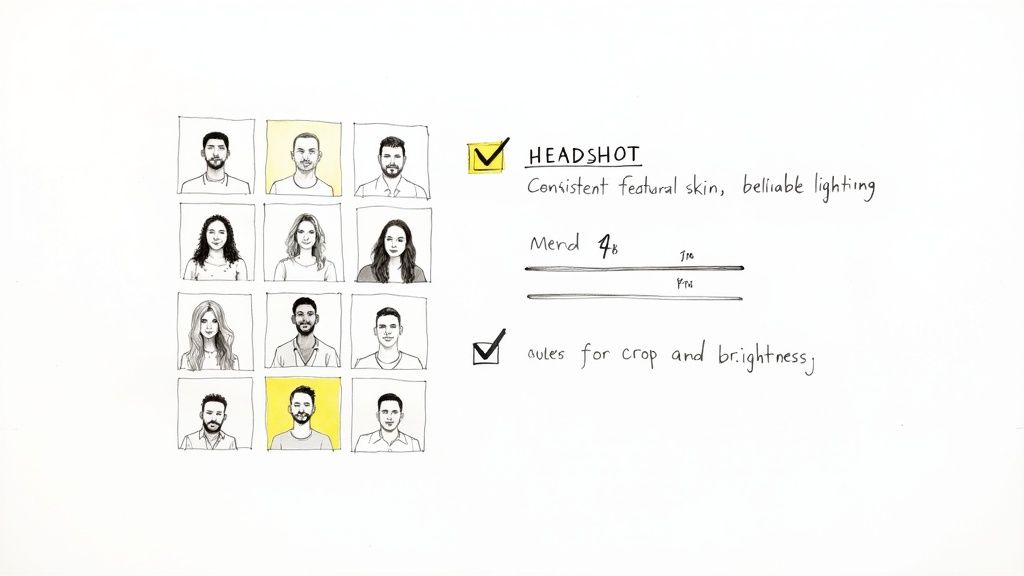
You're looking for images that not only look the most like you but also project the exact professional vibe you want. It’s a mix of technical accuracy and personal branding.
Your Professional Curation Checklist
Think like a photo editor. Compare your favorites side-by-side. I recommend creating a shortlist of your top five to ten contenders and then digging into them based on a few key criteria.
Here’s what to focus on:
- Facial Consistency and Likeness: Does it really look like you? Be picky about the core features—eyes, nose, and mouth. The best headshot is an accurate, polished reflection of you.
- Believable Lighting and Shadows: The light should look natural. Check for realistic shadows on your face and clothes. Awkward shadows can be a giveaway that an image is AI-generated.
- Natural Skin and Hair Texture: Avoid images that look overly smoothed or "plastic." A great headshot will keep some natural skin texture. The same goes for your hair—make sure it looks realistic.
- Eye Contact and Expression: The eyes are everything. They need to be clear, sharp, and looking at the camera. Your expression should match your personal brand—confident, friendly, or serious.
Spotting the Winner
Once you've narrowed it down, the final choice often comes down to a gut feeling. The 'winner' is the headshot that feels the most authentic and genuine.
A successful professional headshot does more than just show what you look like; it communicates confidence and approachability. It’s your digital first impression, so choose the image that best represents the professional you want to be.
Put yourself in the shoes of a recruiter or client on LinkedIn. Which photo would make you stop and take a closer look? That's your winner. It also helps to get a second opinion from a trusted friend or colleague.
Making Final Touch-Ups on Your Phone
Even the best AI headshot can benefit from a little polish. You don’t need fancy software; simple, free mobile apps can handle minor tweaks to make your image pop.
Here are a few easy refinements:
- Cropping for Impact: Your face should be the star. For platforms like LinkedIn, a tighter crop from the shoulders up is usually most effective, ensuring your expression is clear even in a small profile circle.
- Minor Brightness and Contrast Tweaks: A slight bump in brightness or contrast can make a world of difference. The goal is a subtle enhancement, not a dramatic filter.
- A Touch of Sharpening: A tiny bit of sharpening can make details like your eyes look crisper. Again, less is more.
These edits are the final 1% that take a nearly perfect image and make it flawless, ensuring your new headshot is ready to make a powerful impact.
Putting Your New Headshot to Work
You've picked the perfect headshot, and it looks fantastic. Now it’s time to put that image to work across your digital footprint to build a powerful, consistent personal brand.
This isn't just about a quick swap on one profile. It's about creating brand recognition. When a potential client or recruiter sees the same polished image of you everywhere, it builds instant trust and reinforces your professional identity.
Creating a Cohesive Digital Identity
Your new headshot should be the single source of truth for your professional image. The goal is to replace every outdated or inconsistent photo of yourself with this new one.
Let’s start with the essentials:
- LinkedIn Profile: This is your top priority. A great headshot makes you look more credible. For tips on making the biggest splash, our guide on using an AI headshot for LinkedIn has you covered.
- Company Directory and Intranet: Get your internal profile updated to present a consistent, professional image to colleagues.
- Email Signature: Adding your headshot to your email personalizes your communication and helps recipients put a face to the name.
- Personal Website or Portfolio: Your 'About Me' page is where people connect with you. A professional photo adds that critical human touch.
Expanding Your Professional Reach
Once the basics are covered, think about all the other places your professional persona lives online.
Don't forget to update these spots:
- Social Media Profiles: Make sure any professional social media accounts (like X/Twitter) feature your new headshot.
- Speaker Bios and Conference Materials: If you speak at events, always provide your new, high-quality headshot for your bio.
- Guest Post Author Boxes: When you write for other blogs, your headshot appears right next to your name, extending your brand to new audiences.
The real power of a great headshot is unlocked through consistency. Using the same professional image everywhere creates an instant, recognizable brand that signals professionalism before anyone reads a single word about you.
This level of consistency is quickly becoming the standard. The business headshot photography sector was valued at approximately $2.5 billion globally in 2023 and is projected to surge to nearly $5.8 billion within the next decade. This growth is all about the rise of personal branding and the demand for a cohesive look. You can discover more about this trend in business photography and see why a polished image is a necessity.
A Quick Word on Privacy and Ownership
A common question is, "Who owns my AI-generated images?" When you use a reputable service like SelfieToPro, the answer is simple: you do. You receive a full commercial license, giving you the freedom to use your headshots for any personal or business purpose without restrictions.
Your privacy is also protected. The selfies you upload are only used to train your personal AI model and are stored securely. Both your uploaded photos and the headshots we generate for you are automatically deleted from our servers after 30 days. This gives you complete peace of mind to focus on using your new headshot to advance your career.
Got Questions? We’ve Got Answers.
Jumping into the world of AI headshots is exciting, but you probably have a few questions. We hear the same ones all the time, so let's clear them up.
Getting these details right is a huge part of learning how to create a professional headshot that looks like you and gets the job done.
How Many Selfies Do I Really Need?
This is the question we hear most. The answer isn’t about hitting a magic number—it’s about variety over quantity. While most services ask for four to six photos, the real goal is to give the AI different data points to build an accurate model of your face.
Uploading ten identical selfies will give you worse results than five photos with clear differences.
To get the best possible outcome, focus on a mix:
- Different Angles: Include photos taken straight on, from the left, and from the right.
- Varied Expressions: Provide a warm, open-mouthed smile, a subtle closed-mouth smile, and a neutral, confident expression.
- Consistent Lighting: Every photo needs to be taken in the same soft, even light, like facing a window.
Think of it like giving an artist a 360-degree view of a sculpture. The more angles and expressions they see, the more accurately they can capture your likeness. Providing this variety is the single most important thing you can do.
Can I Use an AI Headshot for My Passport?
This one is critical, and the answer is a firm no. AI-generated headshots are amazing for your professional brand on sites like LinkedIn, but they are absolutely not for official government IDs. Passport and visa photos have extremely strict rules that AI images cannot meet.
Official government photos require:
- A plain white or off-white background.
- Zero shadows on your face or behind you.
- A completely neutral expression.
- Absolutely no digital alterations or filters.
Official documents need a raw, unaltered photo. By definition, AI headshots are digitally created art. Stick to using them for your LinkedIn profile, company website, and personal brand—that's where their convenience and quality truly shine.
What If I Don't Like My First Results?
It’s disappointing when your first batch of AI headshots doesn't look right. But don't give up—this is almost always fixable and usually comes down to the quality of the selfies you uploaded. The AI is powerful, but it can only work with what you give it.
If you're not happy, the first thing to do is review your original photos. Nine times out of ten, the problem is one of these common mistakes:
- Bad or Inconsistent Lighting: Harsh overhead lights or backlighting creates shadows that throw the AI off.
- Not Enough Variety: Using selfies with the same angle and expression limits the AI's ability to create accurate headshots.
- Low-Quality Images: Blurry, out-of-focus, or grainy photos will only produce muddy, unrealistic results.
The fix is simple: take a new set of selfies. This time, really focus on the guidelines for great lighting, variety, and clarity. When you feed the AI a better set of source images, your next batch of headshots will be a massive improvement.
Ready to create a stunning professional headshot in minutes? SelfieToPro uses advanced AI to turn your simple selfies into a full gallery of studio-quality photos. Get started today and see how easy, affordable, and convenient it is to elevate your professional brand.