
How AI Headshots Deliver Professional Quality from Home
Forget booking expensive studios and coordinating schedules. The best professional headshots at home are now generated with powerful AI, delivering studio-level quality without the traditional cost or hassle. In this friendly guide, we'll show you how to leverage AI to take complete control of your professional branding, saving you significant time and money.
Why Your Best Headshot Is Now Made with AI at Home
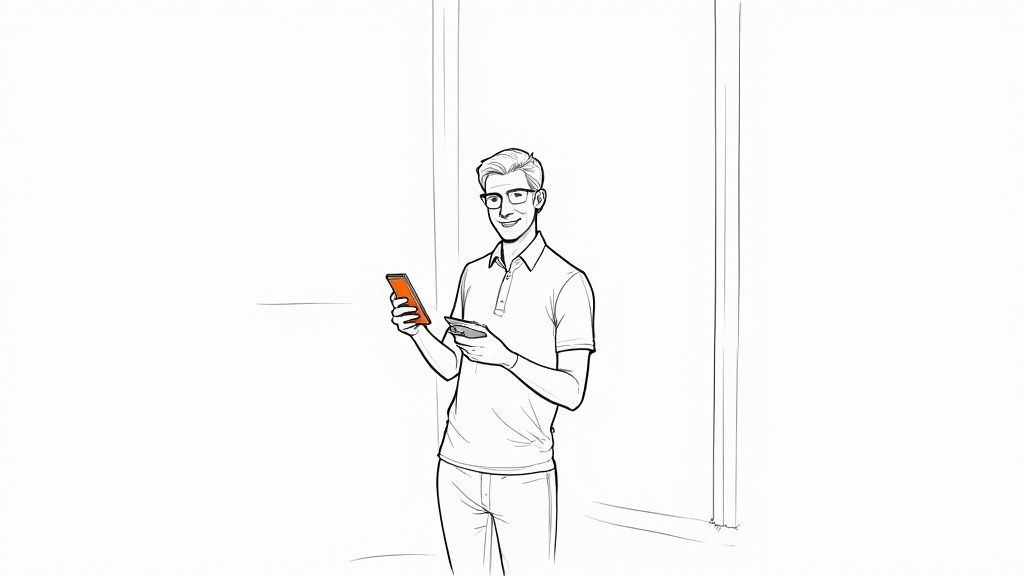
The days of spending hundreds of dollars and blocking off half a day for a traditional photoshoot are over. Today, getting a polished, professional headshot is as simple as uploading a few good selfies and letting AI technology handle the rest. This isn't just about saving money—it’s about gaining incredible convenience, affordability, and professional quality on your own terms.
For busy individuals, job seekers, or entire corporate teams, the ability to generate a whole portfolio of high-quality images on demand is a massive advantage. AI headshots remove all the friction of a traditional photoshoot, letting you refresh your professional branding whenever you need to, effortlessly.
The Rise of DIY Professional Branding
The demand for high-quality profile pictures for platforms like LinkedIn has absolutely exploded. The market for professional headshot photography is on track to nearly double, jumping from $1.2 billion in 2023 to a projected $2.5 billion by 2030. This growth is all driven by one simple fact: your headshot is your digital first impression. You can read the full analysis of these professional photography market trends for more detail.
This trend highlights a clear need, but it also points to a smarter, more efficient solution. Instead of relying solely on photographers, individuals and businesses are turning to the convenience of AI.
AI headshots put you in the director's chair. You control the timing, the style, and the final selection, ensuring the result perfectly aligns with your personal brand, all from the comfort of your home.
Key Benefits of an At-Home Approach
Choosing to create your headshots at home with AI offers clear advantages over the old-school studio experience. The process is faster, far more affordable, and provides a level of variety and professional quality that was once out of reach for most.
Here’s why this method is gaining so much traction:
- Unbeatable Convenience: Create your headshots anytime, anywhere, in minutes. No need to book appointments or travel to a studio, saving you valuable time.
- Significant Cost Savings: AI headshot generators cost a tiny fraction of a traditional photoshoot, making top-tier professional branding accessible to everyone.
- Impressive Variety & Quality: Instead of just one or two edited photos, AI tools generate dozens of high-resolution options with different outfits, backgrounds, and expressions, all at a professional standard.
Setting Up Your Home Photo Studio in Minutes
You don't need a pro-level studio or expensive gear to get a great photo for AI. Honestly, you can pull together an effective setup right in your home in just a few minutes, using things you already have. The goal is simply to capture a clean, well-lit photo that the AI can use as a high-quality starting point.
Forget everything else for a second. The single most important thing is lighting. Good light is what separates a professional portrait from a blurry phone snapshot. And the best light source is usually free.
Finding the Best Natural Light
Walk through your home and find the biggest window you have—that's your new best friend. A large window provides the softest, most flattering light.
All you have to do is stand facing the window. Let that natural light hit your face evenly. This simple trick instantly smooths out your features and gets rid of harsh, ugly shadows. Be careful with direct, blazing sunlight, though, as it can be too intense. The perfect time to shoot is often on a slightly overcast day or when the sun isn't shining straight into the glass.
If the light still feels a bit harsh, you can soften it up. Just hang a thin white bedsheet or a sheer curtain over the window. This little hack turns your window into a giant softbox, scattering the light for a gentle, even glow that’s perfect for portraits.
Pro Tip: Whatever you do, turn off the overhead lights. Ceiling lights are the enemy of good headshots, casting weird shadows under your eyes and nose. Always make sure your main light source is in front of you, right around eye level.
No good window? No problem. You can get a similar effect with a couple of lamps. Just place one or two in front of you, slightly off to the sides, to mimic the light from a window. If you want to really get this right, our complete guide on a professional headshot lighting setup walks you through all the details.
Creating a Simple and Clean Background
The background needs to be boring. Seriously. The focus has to be 100% on you, so anything distracting in the background has to go.
The easiest option is a plain, neutral-colored wall. Light gray, off-white, or beige walls are perfect for professional headshots at home.
Don’t have a clean wall to work with? No worries, you can create one in about two minutes. Here are a few cheap and easy ideas:
- A Simple Cloth: Grab a solid-colored bedsheet or a big piece of fabric. Just make sure you pull it tight to get rid of any distracting wrinkles.
- Poster Board: If you’re just taking photos from the shoulders up, a large piece of white or gray poster board from any craft store works great as a clean backdrop.
- Pop-up Screen: Thinking of doing this more often? A collapsible pop-up background is a fantastic, affordable investment. They’re easy to store and give you a perfectly smooth surface every single time.
By nailing these two simple things—soft, frontal light and a clean, simple background—you’ve built the perfect foundation. This quick home studio setup ensures your base photos are high-quality and ready for the AI to work its magic.
Capturing the Perfect Shot with Your Smartphone
With your simple home studio ready, it's time to turn to the most powerful tool you have: your smartphone. Forget the idea that you need a bulky DSLR. The camera in your pocket is more than capable of capturing incredible images, especially when you know the right settings for creating professional headshots at home.
Most modern phones come loaded with features perfect for this task. The undisputed star of the show is Portrait Mode. This setting is a game-changer, automatically blurring the background to create that professional depth-of-field effect. It makes you pop from the background, mimicking the look of a high-end camera lens without any of the cost or hassle.
Before you snap a single picture, dive into your camera's settings and turn on the grid overlay. This simple tool is your secret weapon for applying the rule of thirds, a timeless composition trick. Instead of planting yourself smack in the middle of the frame, try aligning your eyes with one of the top horizontal grid lines. This small shift creates a more dynamic, balanced, and visually interesting shot.
Mastering Your Camera Settings
Beyond the basics, a few tiny tweaks can elevate your photos from good to great. Pay close attention to exposure. On your screen, tap your face to set the focus point, and you'll likely see a small sun icon or a slider appear. Gently move it up or down to fine-tune the brightness. Your goal is to get your face perfectly lit, free of any distracting shadows or overly bright "blown-out" spots.
Remember, the goal is to capture a clean, well-lit, and sharp photo. The AI will handle the rest, but it needs a high-quality base image to produce the best possible results. A little effort here pays off immensely.
To make things even clearer, this infographic breaks down the simple workflow for your home photo session.
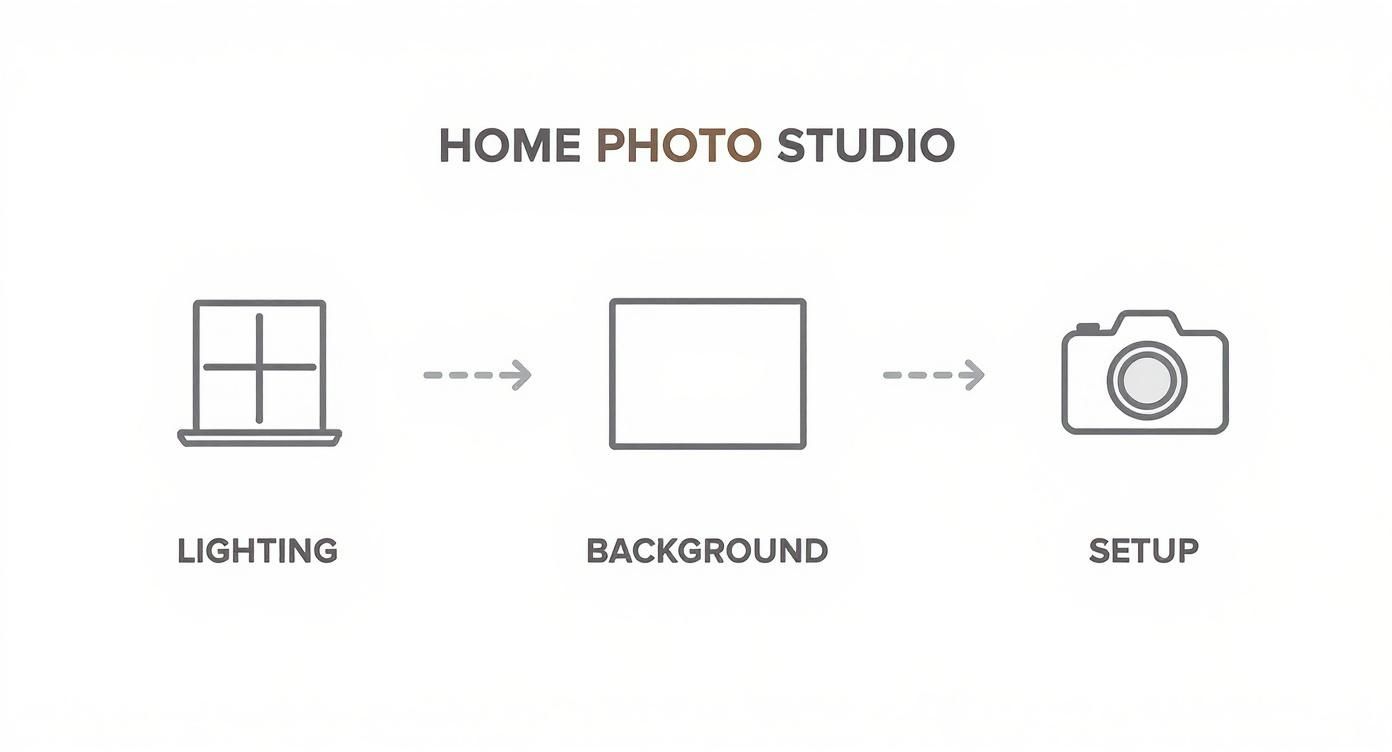
As you can see, the process flows logically from getting your lighting right, to setting up a clean background, and finally, optimizing your camera for the best shot.
To help you get the technical side just right, here's a quick reference table for your smartphone camera settings.
Smartphone Camera Settings for Headshots
This table provides a quick reference guide to essential camera settings and their purpose for achieving professional-looking headshots.
| Setting/Feature | Recommended Action | Why It's Important |
|---|---|---|
| Portrait Mode | Turn ON. | Automatically blurs the background, making you the clear focus. |
| Grid Lines | Turn ON. | Helps with composition and applying the rule of thirds. |
| HDR (High Dynamic Range) | Set to Auto or On. | Balances light and dark areas, preventing blown-out highlights or dark shadows. |
| Front Camera | Use the rear-facing camera whenever possible. | The rear camera almost always has a higher-quality sensor and lens. |
| Flash | Turn OFF. | On-camera flash is harsh and unflattering. Rely on your soft window light instead. |
| Zoom | Avoid digital zoom. | Digital zoom degrades image quality. Physically move closer or crop the photo later. |
| Timer | Use the 3 or 10-second timer. | Gives you time to get into a natural pose and helps avoid camera shake. |
Mastering these settings ensures the raw photos you capture are the best they can be, giving the AI a fantastic starting point.
Projecting Confidence Through Wardrobe and Posing
What you wear plays a huge role in the final result. Stick with solid, neutral colors—think navy, gray, or rich jewel tones. Steer clear of busy patterns, prominent logos, or loud neons that pull focus away from your face. The neckline of your shirt also matters; a classic crew neck, V-neck, or collared shirt frames the face beautifully.
When it comes to posing, it’s all about looking relaxed and confident. A simple but effective trick is to stand at a slight angle to the camera rather than facing it head-on. This creates a more flattering and dynamic posture right away.
Try these quick posing tips to look more natural on camera:
- Chin Forward: Gently push your chin forward and slightly down. It feels a bit awkward, but on camera, it works wonders to define your jawline and prevent a double chin.
- Vary Your Smile: Don't lock into a single expression. Capture a range of looks: a big, genuine smile (think about something that actually makes you laugh!), a softer, more subtle smile, and even a few more serious and thoughtful expressions.
- Use Your Hands (Sparingly): If it feels natural, you can try lightly touching your chin or crossing your arms. The key is to make sure it doesn't look forced or stiff.
By getting your smartphone settings dialed in and paying attention to these simple wardrobe and posing details, you'll end up with a fantastic set of photos. These shots are the perfect raw material to upload to an AI headshot generator, setting you up for truly stunning, professional results.
Let AI Turn Your Selfies into Professional Headshots
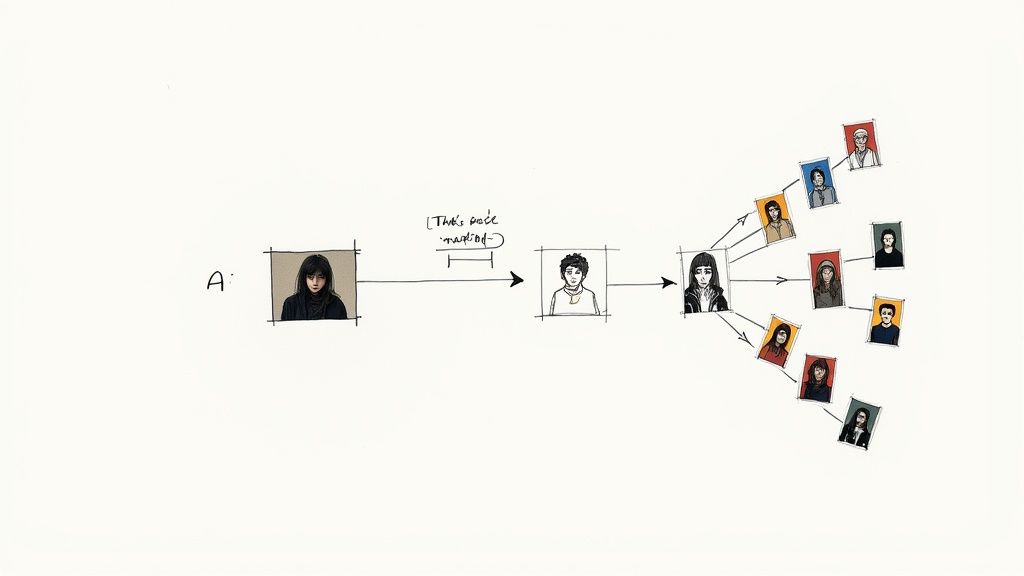
You've captured some clean, well-lit photos. Now for the magic: letting AI turn those selfies into genuinely professional, studio-quality headshots. This is where AI generators completely change the game, offering the fastest, most affordable, and most convenient way to get a portfolio of incredible images.
Instead of booking a pricey photographer, you just upload your best casual photos to a platform. The AI analyzes your facial features and then generates a full gallery of brand-new, high-quality images, placing you in different professional outfits and settings. The results are indistinguishable from a traditional photoshoot.
This process is a breakthrough for anyone needing professional headshots at home.
The Magic of Speed and Affordability
The biggest win here is the massive savings in both time and money. A traditional photoshoot is an ordeal—scheduling, travel, and a significant financial hit, often for just one or two final pictures. AI services, on the other hand, deliver a huge variety of professional-quality options for a fraction of the price, ready in about the time it takes to brew a coffee.
This accessibility is why the market is exploding. In a single year, the global AI headshot market shot up by an incredible 150%, with projections hitting $500 million in 2025. That surge comes down to unparalleled convenience and cost-effectiveness, as these tools create hyper-realistic results perfect for your professional branding on LinkedIn, speaker bios, or company websites.
The real power isn't just getting one perfect photo; it's getting an entire portfolio of professional options. AI gives you the ability to select the exact look that fits your industry and personal brand.
How to Choose the Right Service
With so many options popping up, picking the right platform is critical. The quality and variety of the headshots can vary wildly, so you’ll want to find a reputable service that delivers consistently professional results.
When you're looking at different options, keep these key factors in mind:
- Image Quality: Look for services that generate high-resolution, realistic photos. Check out their example galleries to make sure the results don't have that slightly-off, "uncanny valley" feel.
- Style Variety: A top-tier service will offer a wide range of styles—from corporate and formal to more casual and creative looks, along with different backgrounds and outfits.
- Data Privacy: This is a big one. You're uploading your personal photos, so privacy is non-negotiable. Go with a provider that has a clear privacy policy explaining how your data is used and, just as importantly, when it's deleted. Good services remove your data after a set period.
- Ease of Use: The whole point is convenience. The process should be simple: upload photos, pick styles, get headshots. A clunky interface just adds friction you don't need.
Trying to sort through all the choices can feel overwhelming, but our detailed breakdown of the best AI headshot generator platforms can help you find the right fit for your needs and budget. Choosing a high-quality service is the final step in ensuring the images you get are polished, professional, and ready to make a great first impression.
Selecting and Polishing Your Final Headshot
Once the AI has worked its magic, you’ll have a gallery packed with dozens—maybe hundreds—of potential headshots. This is one of the biggest wins of using AI for professional headshots at home: the sheer amount of choice you get. The real question is, how do you pick the one that nails your professional identity?
Start by browsing the options and narrowing down your top picks. Look for an image where your expression feels confident but, most importantly, authentic. Does it look like you on a really good day? That's the sweet spot. You're aiming for a photo that's professional yet approachable—a perfect reflection of your personal brand.
What to Look For in Your AI Headshot
Now it’s time to get a little nitpicky and scrutinize the details. Even the best AI can slip up on tiny elements. Zoom in and check for natural-looking hands, realistic eyes, and consistent textures in the clothing. Little artifacts can sneak in, so a close look is essential.
The lighting should be flattering, the background clean and not distracting, and the overall image quality needs to be sharp and high-resolution.
To make the final cut, filter your favorites using these key criteria:
- Authentic Expression: Does the smile actually reach your eyes? Does your expression match the professional vibe you're going for?
- Industry Appropriateness: Is the outfit and background right for your field? A creative director is going to have a different look than a corporate attorney.
- Technical Quality: Is the image crisp, well-lit, and totally free of any weird AI artifacts? Don't be afraid to zoom way in to be sure.
This careful selection process is what separates a good-enough headshot from one that truly works for your career goals.
The real advantage of having so many options is the ability to test different looks. You might discover that a style you hadn't considered actually represents your brand better than you expected.
Making Minor Adjustments for a Perfect Finish
After you’ve crowned your top contender, a few minor tweaks can really make it pop. You don't need to be a Photoshop wizard for this. Simple, free mobile apps or even your phone's built-in editor are more than capable. Remember, the key is to enhance, not perform digital surgery.
Focus on subtle adjustments to brightness and contrast to give the image a little more life. A slight bump in sharpness can also add that crisp, professional feel. Just be sure to avoid heavy filters or dramatic edits that scream "I did this on an app."
For anyone who wants a bit more fine-tuned control, our guide to the best portrait editing software has some fantastic options for taking your final image to the next level.
The affordability of this whole process is a massive plus. Traditional professional headshots average between $250 to $283 for a single session. In contrast, AI-generated headshots deliver a full gallery of high-quality options for as little as $20 to $50. This makes it a no-brainer to keep your professional branding current without breaking the bank. You can find more insights on headshot photography costs on studioshot.ai.
By following these simple steps, your final headshot will be polished, professional, and ready to make a powerful first impression.
Got Questions About At-Home Headshots? We've Got Answers
Jumping into the world of AI headshots can feel like exploring new territory. It's a totally different way of doing things, so let's tackle some of the most common questions about convenience, quality, and cost.
A big one is: will it actually look like me? It’s a totally valid question. The secret is the quality and variety of the selfies you provide. When the AI has clear, well-lit photos to learn from, it builds an incredibly accurate model of your face. The result? Final headshots that are a true reflection of you—just with professional polish.
Will My Headshot Look Realistic?
Absolutely. The technology behind today's best AI headshot generators has advanced significantly. We're past the "uncanny valley" days. Modern platforms now produce hyper-realistic, professional-quality images with natural skin textures, believable lighting, and authentic-looking clothing.
The AI is trained on millions of real photos, which is how it learns to create new images that are practically indistinguishable from something shot in a studio. By providing a solid set of selfies, you give the AI all the raw material it needs to capture your unique look perfectly.
So, How Does This AI Thing Actually Work?
It's actually pretty straightforward from your end, even though there's some complex stuff happening in the background. When you upload your photos, the AI isn't just cutting and pasting your face onto a new background. It’s way more sophisticated.
Here’s a quick look under the hood:
- Learning Your Face: The AI first studies your selfies to learn every detail—your eye shape, your smile, your bone structure. It's basically creating a temporary digital blueprint of you.
- Creating New Shots: Once it has that blueprint, it generates brand-new images. It places your AI-generated likeness into different professional settings, like wearing a sharp blazer against a studio backdrop or standing in a bright, modern office.
- Adding the Polish: Finally, the system fine-tunes all the little details. It adjusts the lighting, adds realistic shadows, and perfects textures to make sure every shot looks sharp and professional.
This process gives you an incredible amount of variety and quality that simple filters or basic editing apps just can't match.
Is It Really Cheaper and More Convenient?
Yes, and honestly, it’s not even close. A traditional photoshoot requires finding a photographer, scheduling, traveling to a studio, and waiting days for a handful of edited photos—costing hundreds of dollars.
With AI, you get a whole gallery of professional headshots in about 20 minutes for a tiny fraction of the price. The ability to do it on your own time, from your own home, is a game-changer for busy people.
For businesses, this is revolutionary. Instead of the logistical nightmare and high cost of coordinating a team photoshoot, each team member can generate their own professional image from their laptop. The result is a consistent, high-quality look for the company website, achieved with incredible savings in both time and money.
Ready to create a professional headshot that makes an impact? With SelfieToPro, you can turn your best selfies into a portfolio of studio-quality photos in minutes. Skip the hassle and expense of a traditional photoshoot and get results you’ll love. Try it today and see how easy it is to elevate your professional brand.
Learn more and get started at https://www.selfietopro.com.