
An In-Depth AI Headshot Generator Review
When we kick off an AI headshot generator review, the first question on everyone’s mind is usually the same: are these things a gimmick, or a real career tool? Let me be blunt—AI-generated headshots are a powerful, modern alternative to traditional photography, delivering professional quality for a tiny fraction of the usual time and cost. For anyone needing a sharp, updated professional branding image, this technology is an absolute game-changer.
Are AI Headshots A Smart Career Move?
Let's be honest, getting a professional headshot has always been a pain. First, you have to find a photographer whose style you like, then juggle schedules, drive to a studio, and sit through an awkward session. After all that, you still have to wait days—sometimes weeks—for the final edited images. The whole ordeal is a time-suck and often pricey, putting it out of reach for job seekers, freelancers, and growing businesses.
This is where AI headshot generators like SelfieToPro completely change the game. The difference is like ordering a custom-tailored suit versus buying a high-quality, off-the-rack option you can wear today. Both get the job done, but one offers unbeatable convenience and affordability.
AI Headshots Vs Traditional Photoshoots At A Glance
To see just how different the two approaches are, it helps to put them side-by-side. The contrast in time, cost, and convenience is pretty stark. This friendly comparison highlights the incredible time and cost savings.
| Factor | AI Headshot Generator (e.g., SelfieToPro) | Traditional Photoshoot |
|---|---|---|
| Cost | Typically $20 - $50 for dozens of photos | $300 - $1,500+ for a handful of images |
| Time | Under an hour from start to finish | Several hours (travel, session) plus days or weeks for edits |
| Convenience | Do it from anywhere, anytime | Requires scheduling and travel to a physical location |
| Variety | Get 40-100+ different styles and outfits | Limited to the outfits and backdrops you bring |
The takeaway is clear: AI generators eliminate the biggest barriers—time and money—that prevent people from getting a high-quality, professional headshot.
The Modern Alternative To Traditional Photoshoots
The real magic of AI is how it removes all the friction. Instead of booking appointments and posing under hot studio lights, you can generate dozens of high-quality AI Headshots from your living room couch. This shift gives individuals and teams the power to maintain a polished, professional brand without the usual logistical and financial headaches.
It’s no surprise businesses and startups are jumping on board. A 2024 survey showed that a whopping 68% of startups and small businesses now opt for AI-generated headshots for their team pages. Why? The math is simple. A traditional session can easily run you hundreds of dollars, while an AI generator can produce polished images in about 60 minutes for as little as $27.
Maximizing Time and Cost Savings
For any professional, time is your most valuable asset. Skipping a multi-hour photoshoot and the long editing cycle is a massive win. This efficiency is a lifesaver for:
- Job Seekers: Need a sharp LinkedIn portrait, fast? You can create a polished profile picture that helps you stand out in a crowded market in less time than it takes to watch a movie.
- Freelancers and Entrepreneurs: Keep your personal brand looking consistent and professional across all your platforms without blowing your budget.
- Startups and Remote Teams: Onboard new hires with uniform, high-quality headshots, no matter where they are in the world. No more mismatched selfies on the "About Us" page.
This technology isn't just about saving a few bucks; it’s about making professional branding accessible to everyone. The benefits of AI headshots are leveling the playing field. By knocking down the old barriers, AI empowers you to put your best foot forward, right now.
Our Hands-On SelfieToPro Testing Process
To give you a real, no-fluff AI headshot generator review, we did more than just read the marketing copy. We rolled up our sleeves and put SelfieToPro to the test, running it through the wringer to see if the promises of speed, quality, and affordability actually held up. Our mission was simple: experience the platform exactly like a first-time user, from signup to the final download.
Frankly, it’s the only way to get a true feel for the user experience. We started from scratch, creating a new account and buying a standard package, just like any professional would. Then, we got to the most important part: uploading the photos.
The Input Photo Test
The final output of any AI generator is only as good as what you feed it. To really test the AI's flexibility, we didn't just give it perfect, studio-style selfies. Instead, we threw a mixed bag of photos at the system to see how it would handle real-world conditions.
Our upload collection included:
- Ideal Shots: The "perfect" selfies. Well-lit, facing forward, with a clean background.
- Casual Snaps: Photos taken outside with natural, and sometimes tricky, lighting.
- Slightly Lower-Quality Images: A few pics from an older smartphone to see if the AI could clean up and work with less-than-perfect source material.
- Varied Expressions: A mix of smiles, serious expressions, and neutral looks to see if the AI could maintain consistency.
This wasn't random. We wanted to know if SelfieToPro could spin gold from the kind of everyday photos most of us have sitting on our camera rolls. If you're wondering how to pick your own photos, our guide on choosing the perfect photos for AI headshots has some great tips to get you started.
The platform's whole process is designed to be incredibly simple, as you can see below.
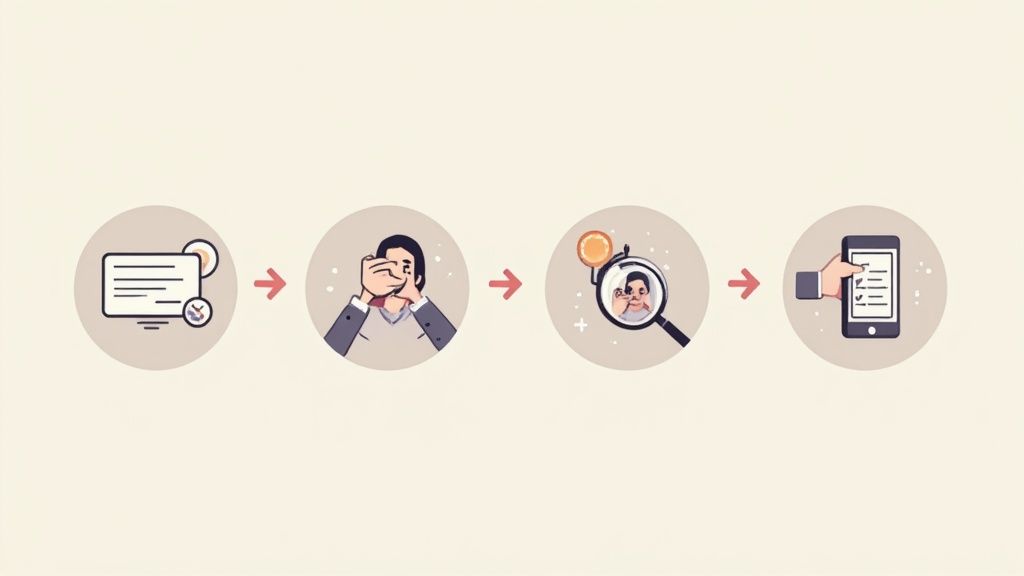
This four-step visual shows how SelfieToPro guides you from start to finish, keeping things fast and user-friendly.
Our Strict Evaluation Criteria
Once the AI did its thing and our new headshots were ready, we got down to the analysis. This wasn't a quick glance. We examined every single image, grading them against a strict set of professional criteria to make sure our review was objective and genuinely useful.
We judged everything on four core pillars: photorealism, consistency across the batch, image clarity and resolution, and the variety of styles and backgrounds it generated. This framework allowed us to give a fair and balanced verdict on the platform's performance.
We looked closely at the little things—skin texture, hair details, and whether the clothing and backgrounds looked real. Did the eyes look lifelike? Were there weird digital artifacts? Most importantly, did the final headshots still look like the person in the original selfies? We aimed to answer all these questions so you get a transparent, behind-the-scenes look at how we rated SelfieToPro. You'll find our detailed results in the next section.
So, How Good Are The Final Photos?
This is where the rubber meets the road for any AI headshot generator. After all the uploading and waiting, do the final images actually look good enough to use? Could they genuinely replace a professional photographer? With SelfieToPro, the answer is a pretty confident "yes," but there are a few things to keep in mind. Let's get into the results and see what worked, what didn't, and if the quality is really good enough for your professional brand.
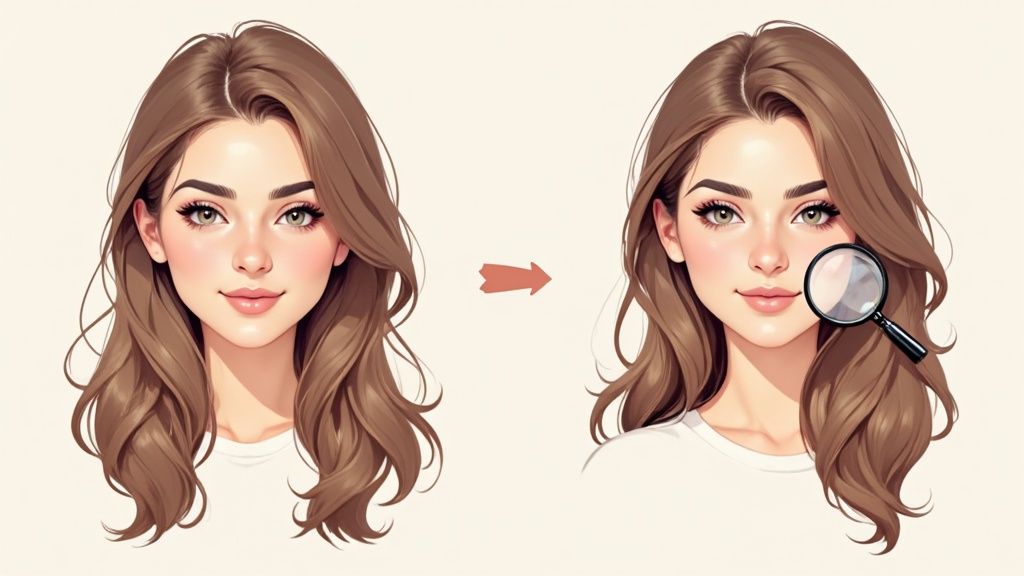
Right off the bat, the photorealism was striking. These didn't just look like photos; they had the feel of real portraits. The lighting was surprisingly sophisticated, convincingly mimicking everything from the soft glow of a studio softbox to the bright, crisp light of an outdoor shot. This is a massive step up from older AI tools that often produced images with an overly smooth, almost plasticky finish.
SelfieToPro really nailed creating headshots that were not just high-resolution, but also packed with believable details. You could see the texture in the skin, a natural glint in the eyes, and the fabric of the clothing looked surprisingly authentic. It’s this attention to detail that makes the images feel ready for a LinkedIn profile or a company About Us page without a second thought.
The Fine Details Realism and Authenticity
When you really zoom in and start pixel-peeping, the quality mostly holds up. We looked for those classic AI giveaways—weirdly formed hands (not a big issue for headshots, thankfully), strange artifacts in the background, or unnatural facial features. For the most part, SelfieToPro passed the test. Hair, which is notoriously difficult for AI to get right, was rendered with impressive detail, showing individual strands and a natural-looking flow.
But let's be real, no AI is perfect. Out of the entire batch of headshots we got back, a small portion—maybe 5-10%—had some minor quirks. This included things like a shirt collar that was slightly crooked, a background element that was a bit too blurry, or an expression that just didn't quite look like me. This is pretty standard for even the best AI headshot tools, and it's not a real problem since you get so many other great options to choose from.
The key takeaway here is that you're not paying for one perfect shot; you're paying for a huge variety of high-quality options. The convenience lies in being able to discard the few imperfect ones and still have an abundance of excellent headshots to choose from.
This level of quality is quickly becoming the new normal. The technology has gotten so good that in recent blind tests, 62% of AI-generated headshots were mistaken for traditional studio photos. Even more telling, a Google experiment found that 40% of AI-created photos received top marks from professional photographers. This isn't just a gimmick anymore; it's a legitimate tool. You can find more details on these advancements and see how AI is shaking up the photography world.
Style And Background Variety
Beyond pure realism, the sheer variety SelfieToPro offers is one of its biggest strengths. If you hire a traditional photographer, you might get a couple of different backdrops and maybe an outfit change. Our test, on the other hand, produced dozens of unique combinations with a whole range of styles.
The platform gave us a great mix of options perfect for different professional situations:
- Corporate Looks: Sharp suits and blazers set against clean, professional office or studio backdrops.
- Creative and Casual Styles: More relaxed outfits, like sweaters or button-downs, in modern indoor or outdoor settings.
- Classic Portraits: Timeless headshots with simple, muted backgrounds that put all the focus on you.
This variety is a huge plus. It means you can pick different headshots for different needs—a formal one for LinkedIn, a more approachable one for your personal website or speaker bio, and maybe a more creative shot for social media. Trying to get this level of branding flexibility from a traditional photoshoot would cost a fortune.
The AI also did a surprisingly good job of matching outfits to backgrounds, making each image feel like a cohesive, believable scene. The colors were rich, the compositions felt intentional, and the overall look was consistently professional.
Consistency Across The Batch
One of the most important things we checked for was consistency. Did all the headshots actually look like the same person? This is where a lot of AI tools fall flat, sometimes creating images that look more like your long-lost cousin than you.
SelfieToPro did a fantastic job here. The AI was able to lock onto the core facial features from my selfies and replicate them accurately across all the different styles, outfits, and lighting setups. While there were slight variations in expression (which is a good thing!), the person in the photos was always clearly and recognizably me.
This consistency is crucial for building a personal brand people can trust. You want the person on your LinkedIn profile to be the same one who shows up for the Zoom call. SelfieToPro seems to get that, delivering a portfolio of images that are both diverse and dependably you. Finding that sweet spot between variety and consistency is what really makes a top-tier AI headshot generator stand out from the crowd.
A Step-By-Step Guide To Using SelfieToPro
So, how does this thing actually work? SelfieToPro is built around a dead-simple process that hides all the AI complexity, letting you just focus on the final pictures. I’ll walk you through the entire experience, from uploading your first selfie to downloading a full set of professional portraits. It's way easier than you think.
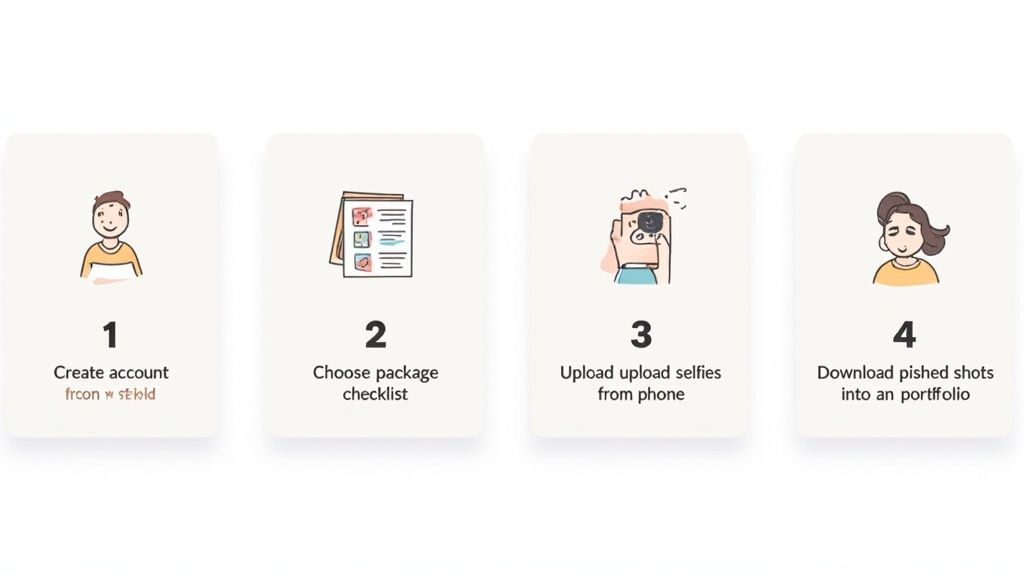
The whole journey is designed to be painless. There are no confusing settings to tweak or techy terms to look up. Seriously, if you can post a photo on Instagram, you’ve already got all the skills you need.
Step 1: Getting Started And Choosing Your Package
First things first, you'll need to create an account, which is just the standard email signup. Once you're in, you’ll land on the pricing packages page. Everything is laid out clearly—you can see exactly how many headshots you get, the variety of styles available, and what each option costs.
This is where you really see the affordability of AI headshots. A traditional photoshoot can easily set you back hundreds of dollars, but SelfieToPro offers a much more budget-friendly path for individuals and teams. Just pick the package that makes sense for you and head to the secure payment page. The whole thing takes a minute, tops.
Step 2: Uploading Your Selfies For The Best Results
Alright, this is the most important part of the whole process. The quality of the photos you upload has a direct impact on the quality of the headshots the AI spits out. But don't stress—you don’t need professionally shot photos. Clear, well-lit selfies from your phone will do the trick.
SelfieToPro gives you some simple instructions, but here’s what really matters:
- Give It Variety: The platform suggests uploading 10 to 20 photos. This gives the AI enough data points to really learn your face.
- Show Different Angles: Make sure to include shots from straight on, from the side, and with a few different expressions (a smile, a neutral look, etc.).
- Lighting Is Everything: Natural light is your best friend. Try to avoid photos with harsh shadows, direct sun that makes you squint, or super dark rooms.
- Keep It Clean: Ditch any photos where you're wearing sunglasses, hats, or heavy makeup. And definitely no group shots. The focus needs to be 100% on you.
Think of it like giving an artist a folder of reference photos to draw your portrait. The more clear and varied the references, the more the final painting will actually look like you. This is the one step where you have the most influence over the final result.
Step 3: Selecting Your Styles And Letting The AI Work
Once your photos are uploaded, you get to the fun part: picking your styles. This is where you tell the AI what kind of vibe you're going for. The options cover a wide range, from buttoned-up corporate looks to more creative and casual shots.
You’ll see choices like:
- Studio Look: Your classic, professional portraits with clean, simple backgrounds.
- Outdoor Setting: A more natural and approachable feel, set in different outdoor locations.
- Corporate Office: Sharp, executive-style photos that are perfect for a business profile.
After you've made your picks, you just hit confirm and the AI gets to work. It builds a custom model based on your unique facial features, which usually takes about one to two hours. The best part? You don't have to hang around and watch a progress bar. SelfieToPro just sends you an email when your new headshots are ready, which is a massive improvement over blocking out an entire afternoon for a traditional photoshoot.
Getting Down to Brass Tacks: Cost, Security, and Your Rights
Putting money into your professional brand is a great call. But you need to know exactly what you're paying for, how your data is being handled, and what you can actually do with the photos once you have them. Let's break down SelfieToPro's pricing, security protocols, and image rights so you can feel confident in your purchase.
One of the biggest wins with AI headshots is the price. A traditional photoshoot can easily run you hundreds of dollars for just a handful of edited images. AI flips that script, giving you a massive variety of professional shots for a tiny fraction of the cost.
Breaking Down The Cost And Value
SelfieToPro keeps things simple with a few different packages. This way, you're not overpaying for options you don't need. Each tier gives you a set number of unique headshots across different styles, delivering a ton of value.
Here is a quick look at their packages and what you get with each one.
SelfieToPro Package Comparison
| Package Name | Price | Number of Headshots | Number of Styles | Best For |
|---|---|---|---|---|
| Starter | $29 | 40+ | 6+ | Individuals needing a quick LinkedIn update. |
| Pro | $39 | 100+ | 12+ | Professionals wanting a wide variety for branding. |
| Expert | $59 | 240+ | 25+ | Teams or individuals who need maximum options. |
When you factor in the sheer convenience, the value gets even better. You're not just buying photos; you're buying back all the time you'd lose scheduling a photographer, traveling to a studio, and waiting for the final edits. If you want to see just how much you save, our deep dive on the cost difference between AI vs. traditional photography really puts the numbers in perspective.
Your Data Security And Privacy
Let's be honest, uploading your selfies to any online service can feel a little weird. "What happens to my photos?" is a perfectly reasonable question to ask. SelfieToPro is very clear on this front.
Their policy states that the selfies you upload have one job and one job only: to train the AI model that creates your headshots. Your images are never used for anything else, and they're definitely not sold to third parties.
A huge plus for security is their data retention policy. Both your original selfies and the final AI headshots are automatically deleted from their servers after 30 days. This is a big deal. It minimizes risk and ensures your images aren't just sitting on a server somewhere forever.
This kind of commitment to privacy is what separates a trustworthy service from the rest.
Understanding Your Image Rights
So you’ve got your new headshots. Now what? Who owns them? Where can you use them?
SelfieToPro makes this crystal clear. When you buy a package, you get a full commercial license for every headshot generated for you. No fine print, no hidden restrictions.
This means you’re free to use your new photos pretty much anywhere you can think of, for both personal and business needs.
- Professional Profiles: Your new go-to for LinkedIn, your company's website, or your email signature.
- Marketing Materials: Slap them on business cards, brochures, flyers, and online ads.
- Public Speaking: Perfect for speaker bios at conferences, on podcasts, or for webinars.
This broad license makes your investment incredibly versatile. You can build a consistent, polished brand across every platform without ever worrying about usage rights or getting hit with extra fees down the road.
The Final Verdict: Should You Use SelfieToPro?
After putting SelfieToPro through its paces, I can confidently say this tool is a huge win for most professionals, job seekers, and businesses out there. It absolutely delivers on its promises of convenience, affordability, and professional quality, making it a fantastic alternative to the old-school photoshoot grind.
The platform's real magic is its speed. Getting a huge variety of high-quality, realistic headshots in under an hour is a game-changer for anyone needing a quick brand refresh. You get dozens of options to play with—far more than any single photoshoot could ever offer—without having to leave your desk. This isn't just a gimmick; it's part of a massive shift. The global AI headshot generator market is blowing up, on track to hit $500 million by 2025. That's a whopping 150% year-over-year increase, which shows just how many people are ditching the studio for this kind of speed and accessibility. You can dig into the numbers yourself and see the full 2025 AI headshot industry report.
Of course, no AI is perfect. You might spot a few minor digital artifacts or odd details here and there, which is true for any AI image generator right now. But since SelfieToPro gives you such a large batch of photos, you'll have more than enough excellent shots to choose from. Finding the perfect one is never a problem.
Who Is SelfieToPro Perfect For?
So, who really stands to benefit the most from this? Based on my testing, SelfieToPro is a no-brainer for a few specific groups.
-
Job Seekers and Recent Graduates: A sharp LinkedIn profile is non-negotiable in today's job market. SelfieToPro gives you an affordable way to get that polished, professional look that catches a recruiter's eye, all without the painful price tag of a photographer.
-
Freelancers and Entrepreneurs: Your professional branding is your business. This tool lets you keep a consistent, high-quality image across your website, social media, and client proposals, which goes a long way in building trust and credibility.
-
Remote Teams and Startups: Trying to get professional headshots for a team scattered across the globe is a logistical nightmare. SelfieToPro solves this instantly, letting you create a uniform, polished look for your company’s "About Us" page without any hassle.
-
Seasoned Executives: Need a new headshot for a last-minute speaking gig, press release, or board profile? You can generate one in minutes without having to carve out time from your packed schedule.
Ultimately, SelfieToPro is for anyone who values their time and wants to project a professional image without the cost and headache of a traditional photoshoot. It’s a modern solution built for the modern professional.
If you fit into any of these categories, my recommendation is a clear yes. The combination of quality, variety, and sheer convenience makes SelfieToPro an excellent investment in your personal or professional brand.
Your Questions, Answered
Even after going through a detailed review, it's smart to have a few practical questions. This is where we clear up the common queries about using SelfieToPro, giving you the final bits of info you need to feel confident.
How Many Photos Should I Upload To SelfieToPro?
For the best results, you'll want to upload between 10 to 20 high-quality photos. The magic word here is variety. Give the AI a good mix of close-ups, different facial expressions, various angles, and a range of lighting.
Think of it like giving an artist a complete reference library of your face. To help the AI learn your features accurately, make sure you avoid:
- Photos with sunglasses or hats that hide your face.
- Group shots with other people in them.
- Blurry, low-resolution images or anything with harsh, weird shadows.
The more clean, varied data you provide, the more the final headshots will actually look like you.
Can I Use These AI Headshots On My LinkedIn Profile?
Absolutely. In fact, that's one of the best use cases for them. The headshots from SelfieToPro are created specifically to meet professional standards, making them perfect for platforms like LinkedIn.
They're also great for company websites, speaker bios, and any professional social media profile. The real win is getting that polished, consistent look that instantly boosts your personal brand and helps you make a great first impression online.
Are My Uploaded Photos Kept Secure?
SelfieToPro is very clear about user privacy, and they take it seriously. The photos you upload have one single purpose: to train the AI model that creates your headshots. Your images are never used for anything else or shared with anyone.
A key point on security: SelfieToPro has a strict data deletion policy. Both your original selfies and the headshots the AI generates are automatically and permanently deleted from their servers after 30 days. This is a great practice that minimizes risk and gives you peace of mind.
How Quickly Will I Receive My Headshots?
The speed is one of the most impressive parts of the whole deal. After you've uploaded your photos and picked the styles you like, the AI gets to work immediately.
The whole process is incredibly fast. You can expect to have the full set of high-resolution headshots delivered straight to your email in just one to two hours. They arrive ready to download and use right away, making it a game-changer for anyone needing a quick brand update without the typical wait.
Ready to turn your casual selfies into professional portraits in under two hours? SelfieToPro gives you the quality, speed, and affordability you need to upgrade your professional image today.